ClayHR Automatic Ticket Creation from Forms
The Ticket Generation functionality in forms within ClayHR allows you to automatically create a ticket when a form is submitted. This feature eliminates the need for manual ticket creation by seamlessly converting submitted form data into a new ticket within ClayHR.
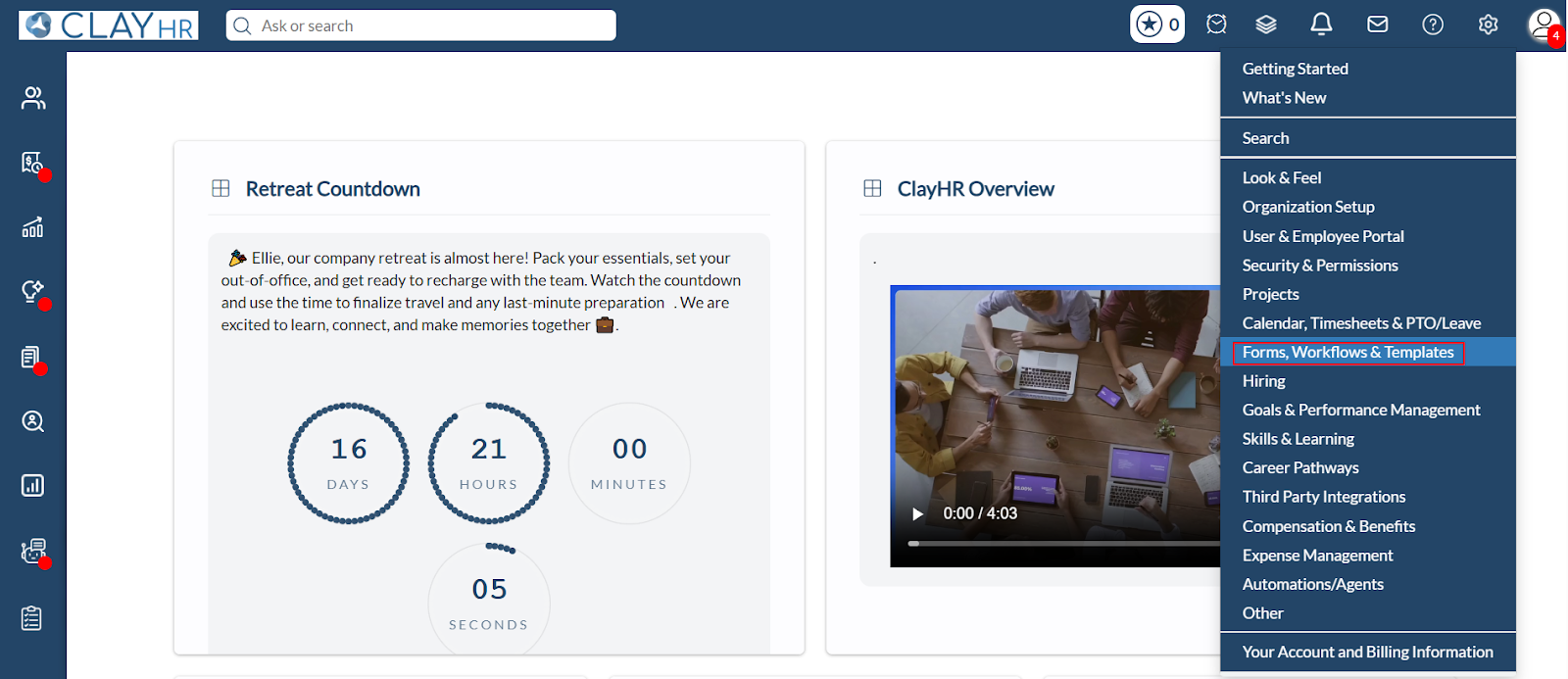
- Navigate to the gear icon, select Forms, Workflows & Templates, and then choose Forms.
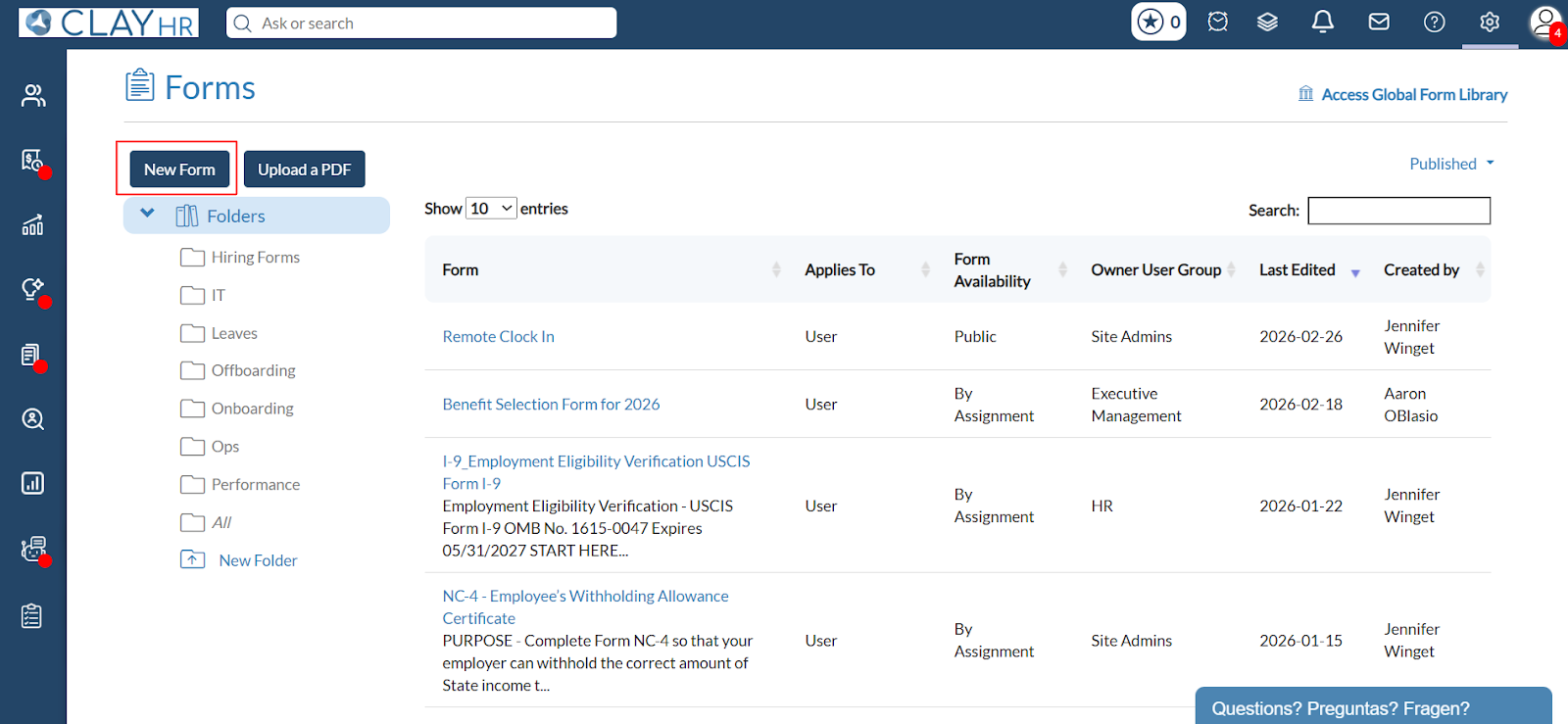
- Create a new form by clicking on New Forms on the forms home page.
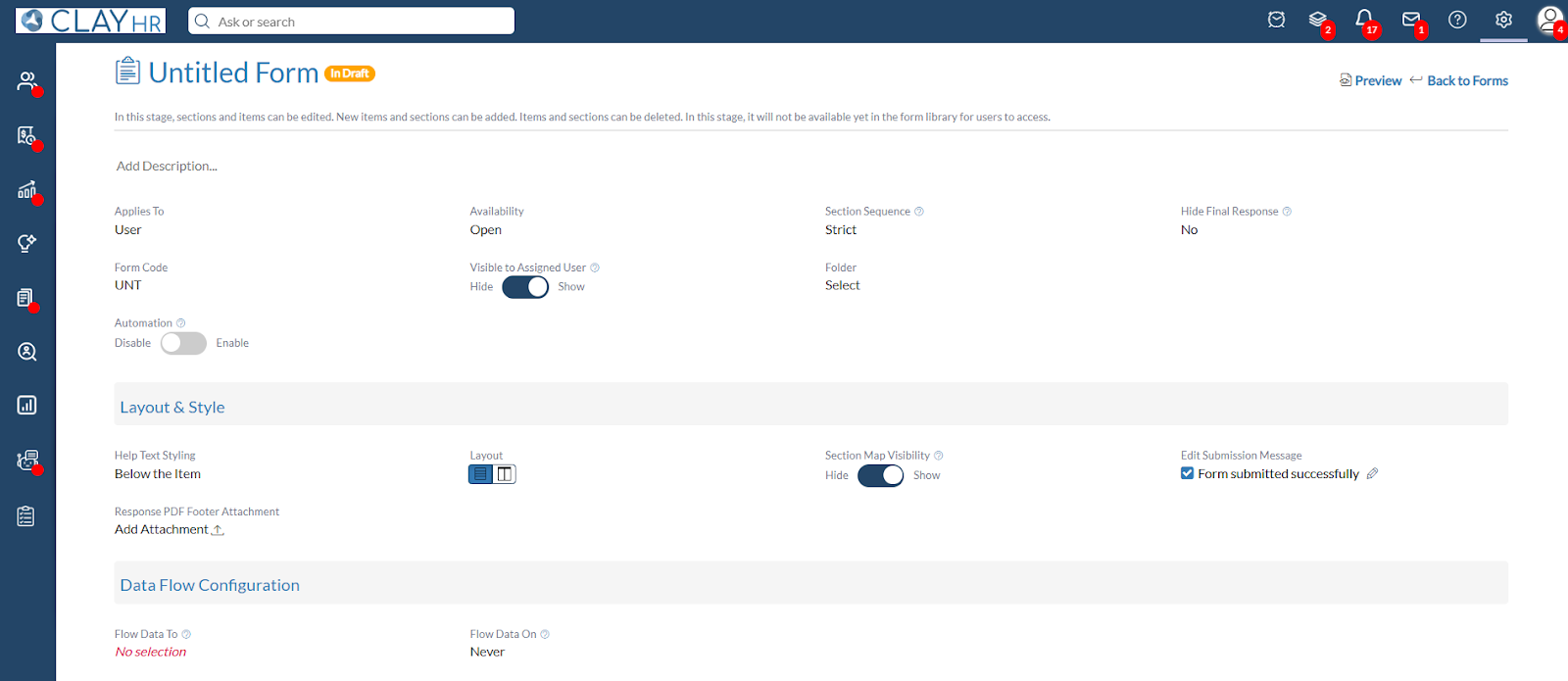
- After clicking on New Forms, the user will be redirected to the forms view page.
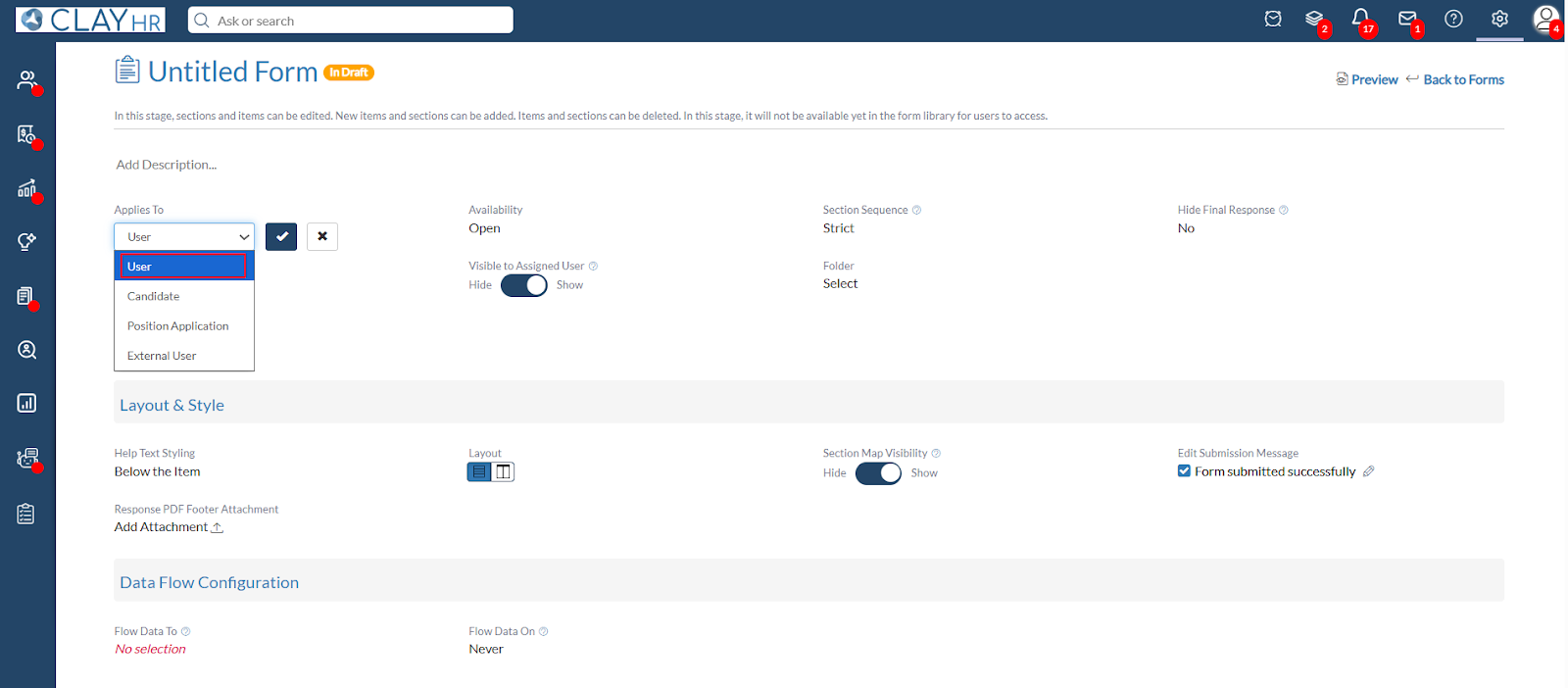
- Under the Applies To field, select User.
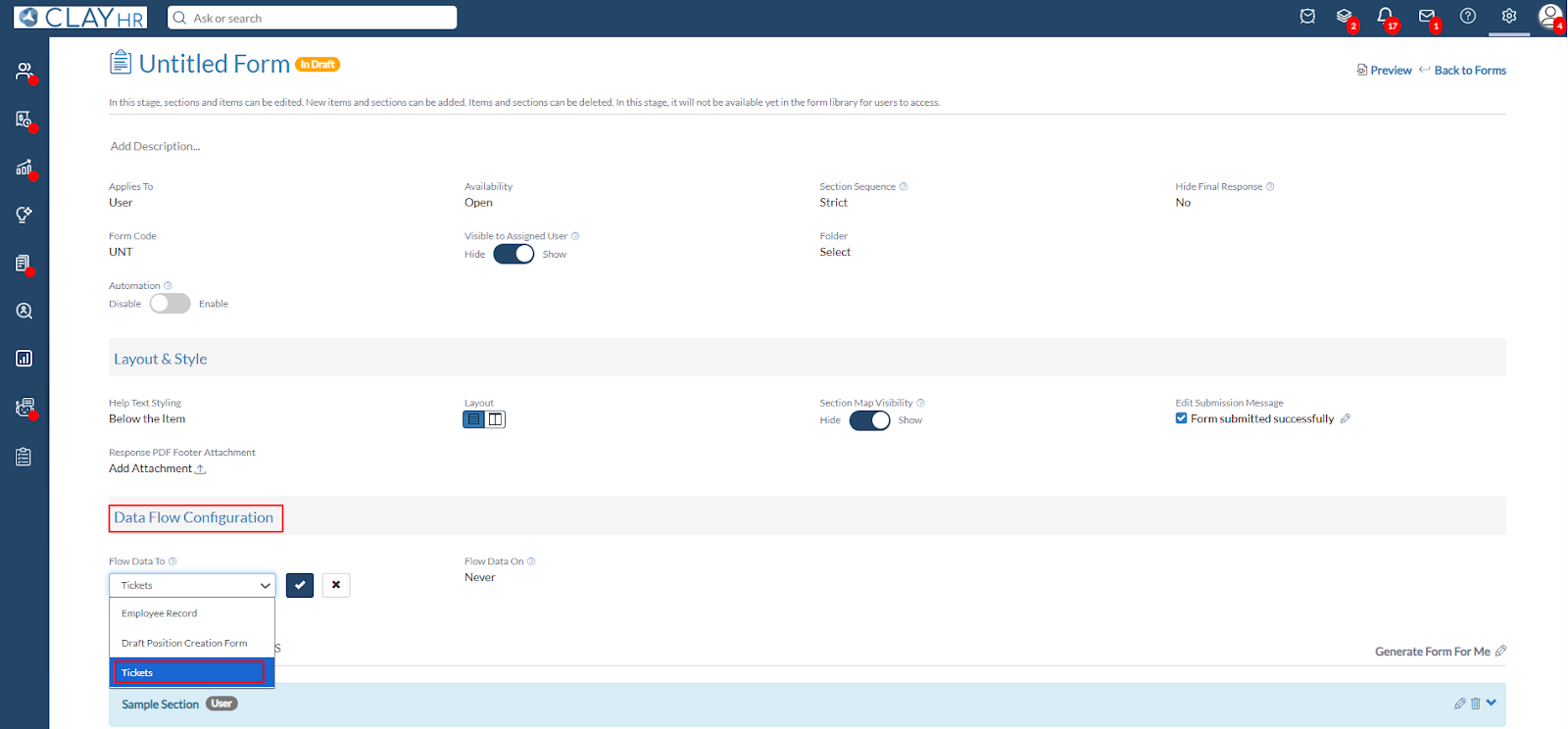
- Once the Applies To is selected as User, scroll to the Data Flow Configuration section and select Tickets.
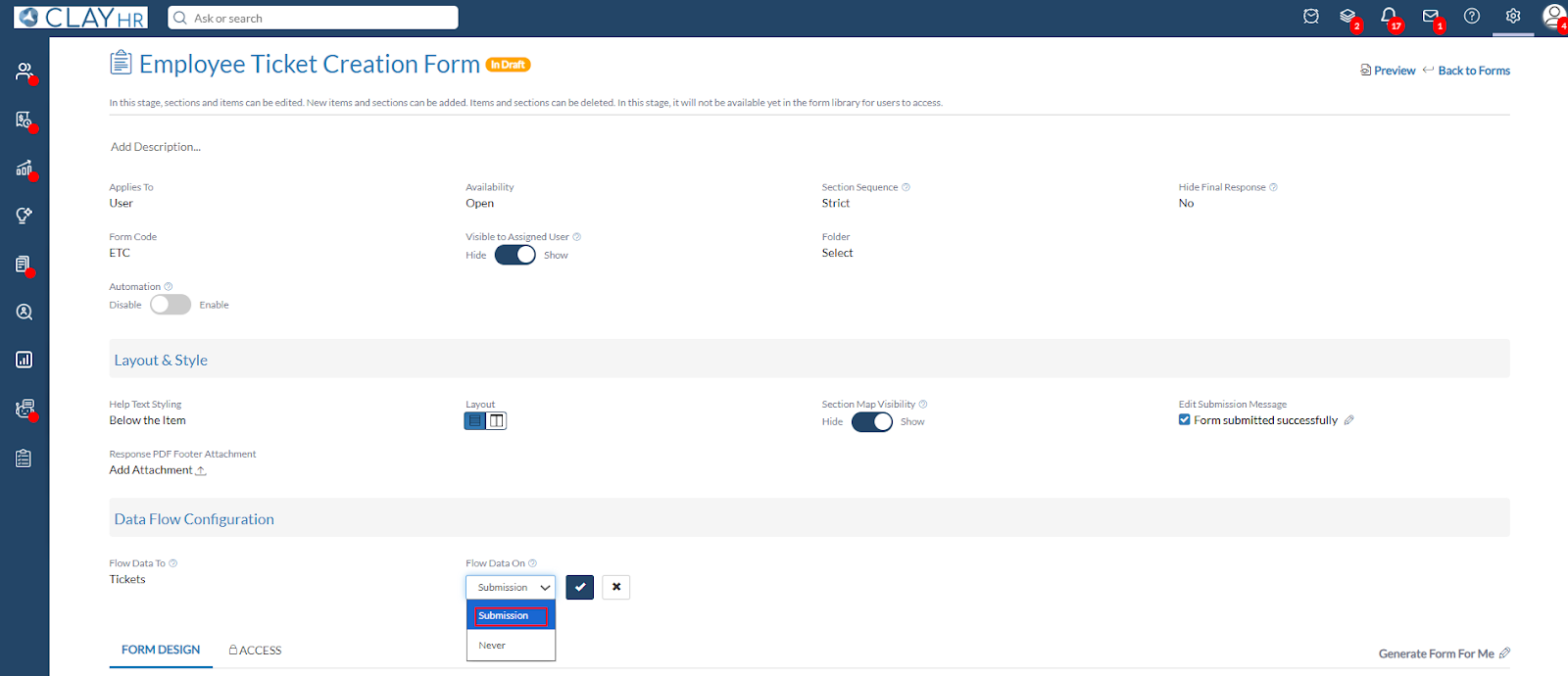
- In the Flow Data On field, select Submission to ensure that the ticket is automatically created when the form is submitted. If Never is selected in the Flow Data On field, no ticket will be generated upon submission.
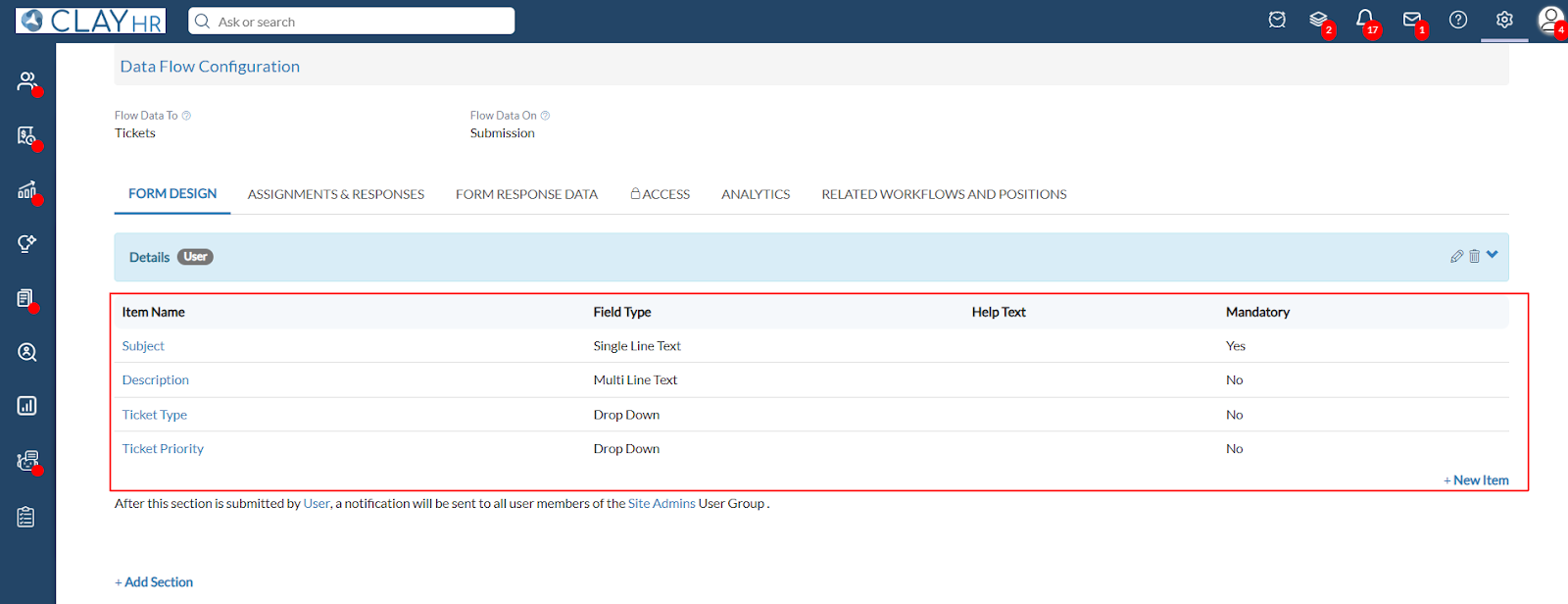
- Below are the mandatory and optional items to include when configuring ticket creation via a form.
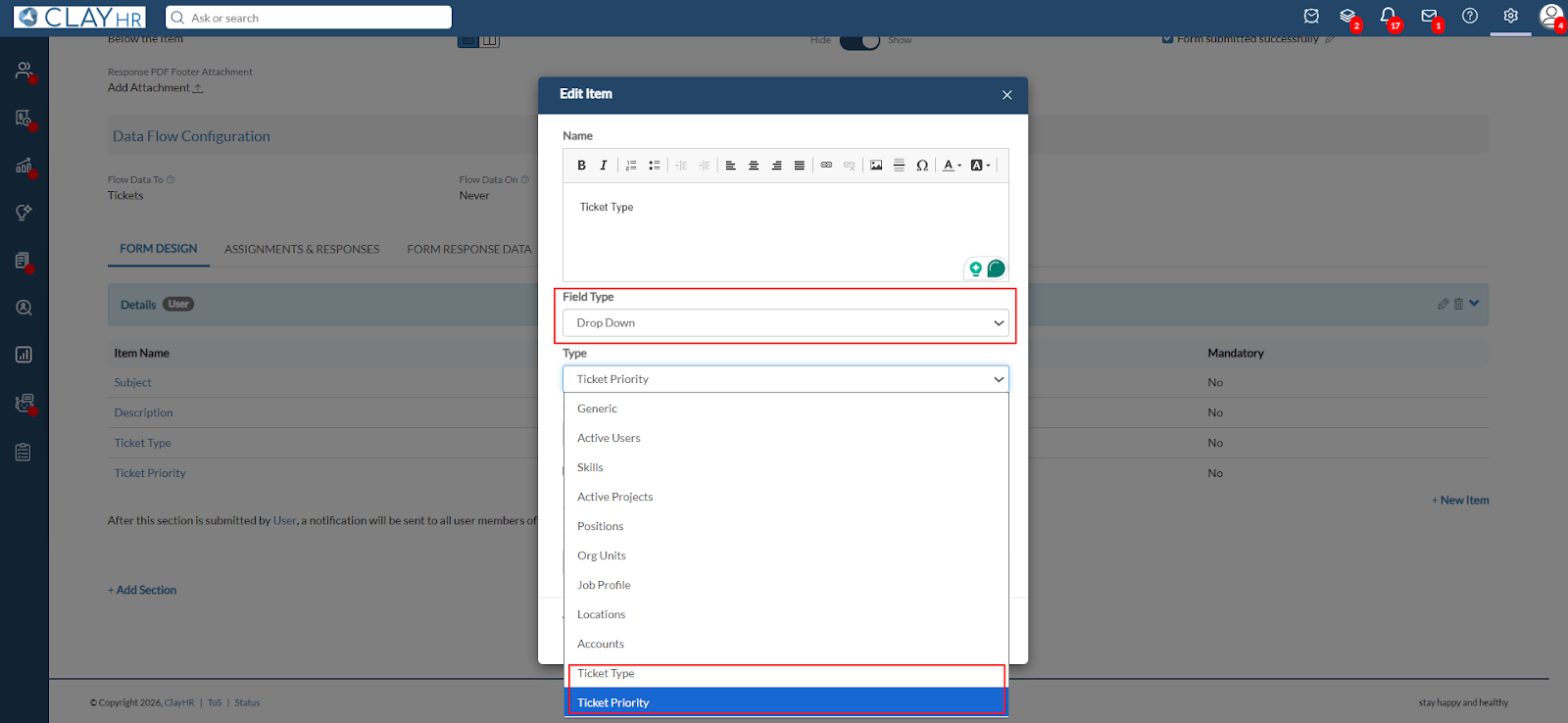
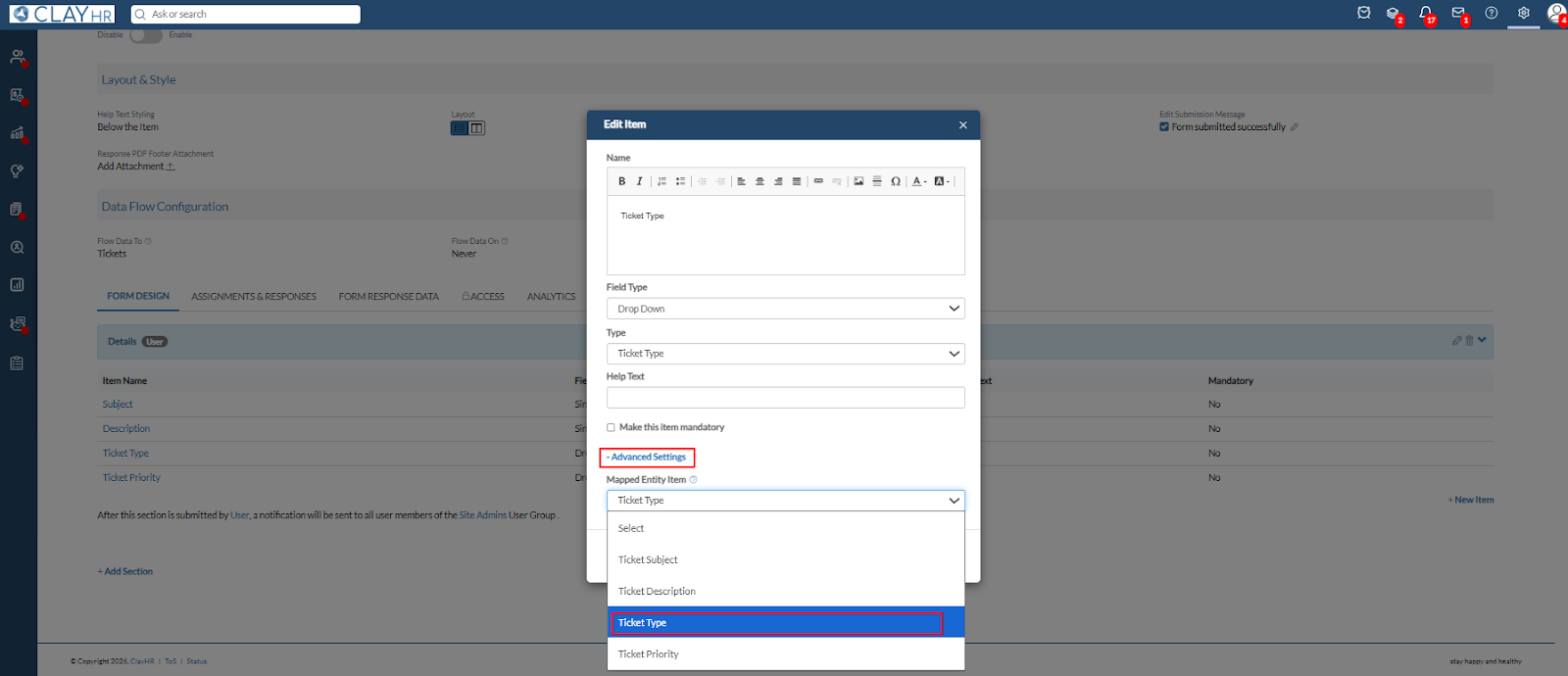
- For the Ticket Type and Ticket Priority fields, the Field Type must always be set to Drop Down. Under the Type field, select the appropriate option, either Ticket Type or Ticket Priority, depending on the field being configured.
- Under Advanced Settings, select the appropriate option under Mapped Entity Item to ensure the field is correctly mapped to the corresponding ticket field.
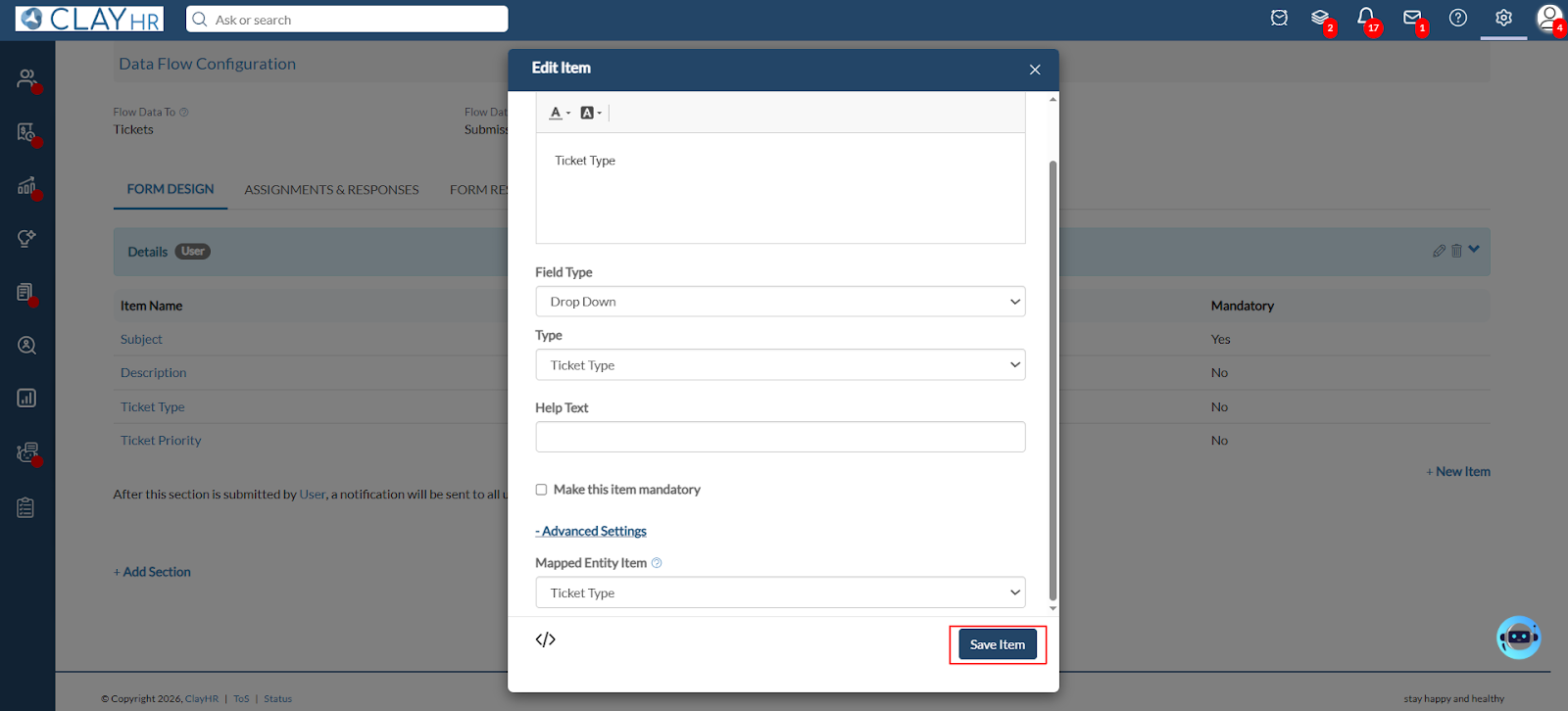
- Click on Save Item and publish the form.
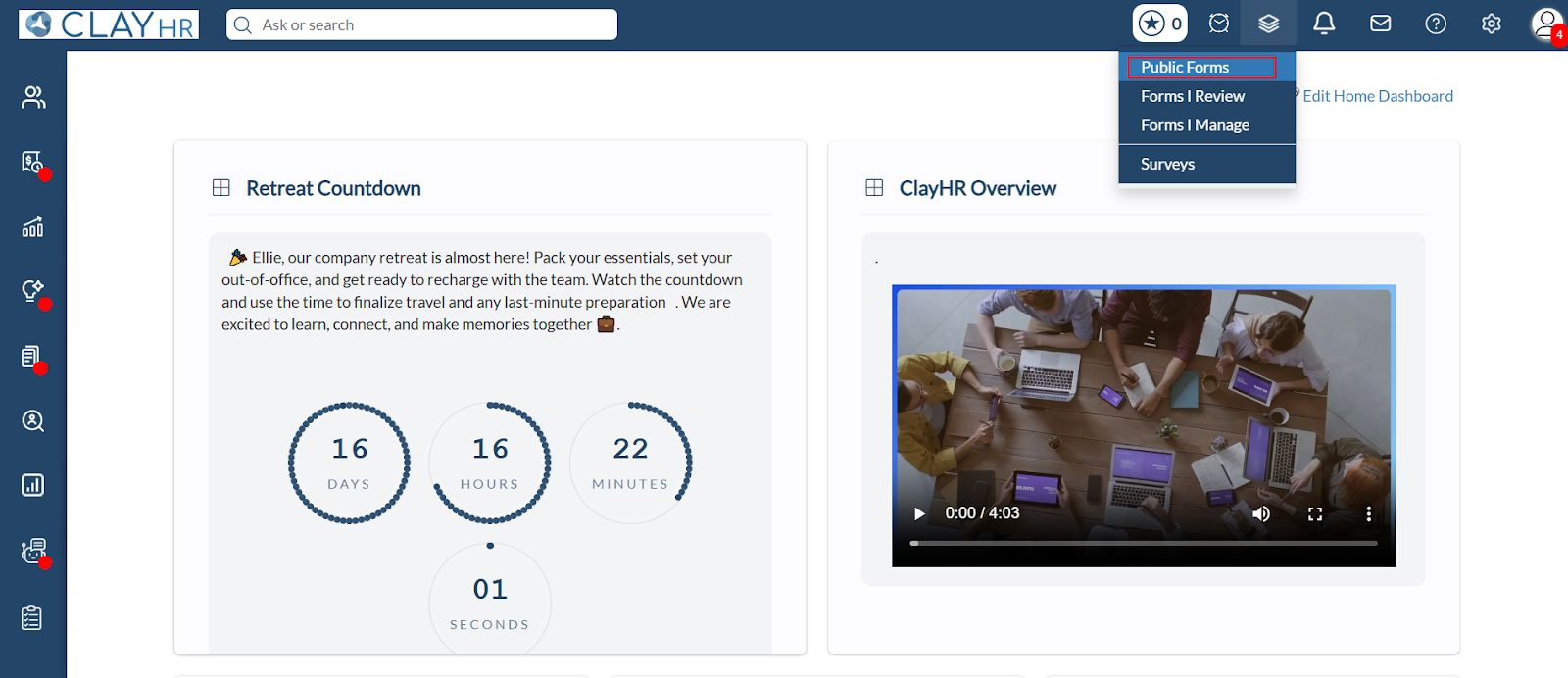
- Go to Public Forms.
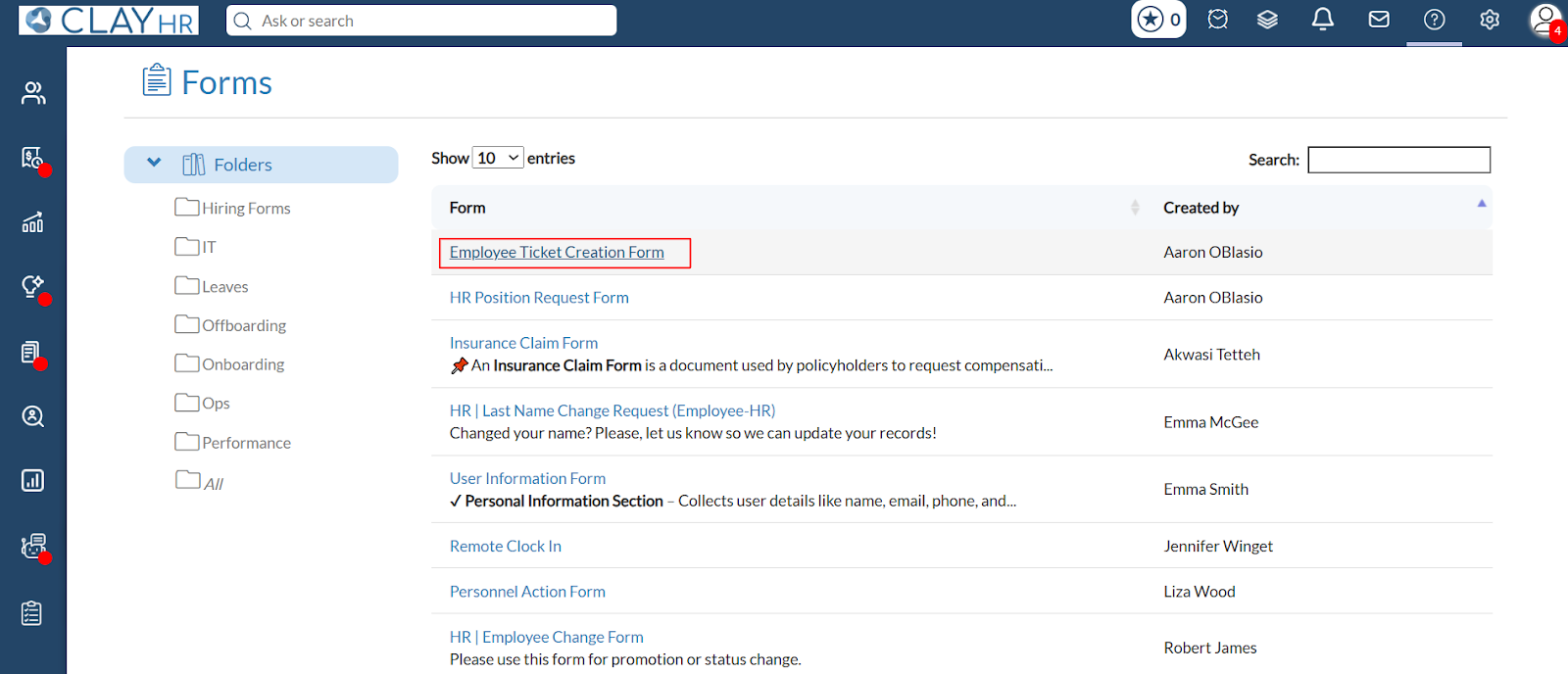
- Click on the form name to open and complete the form.
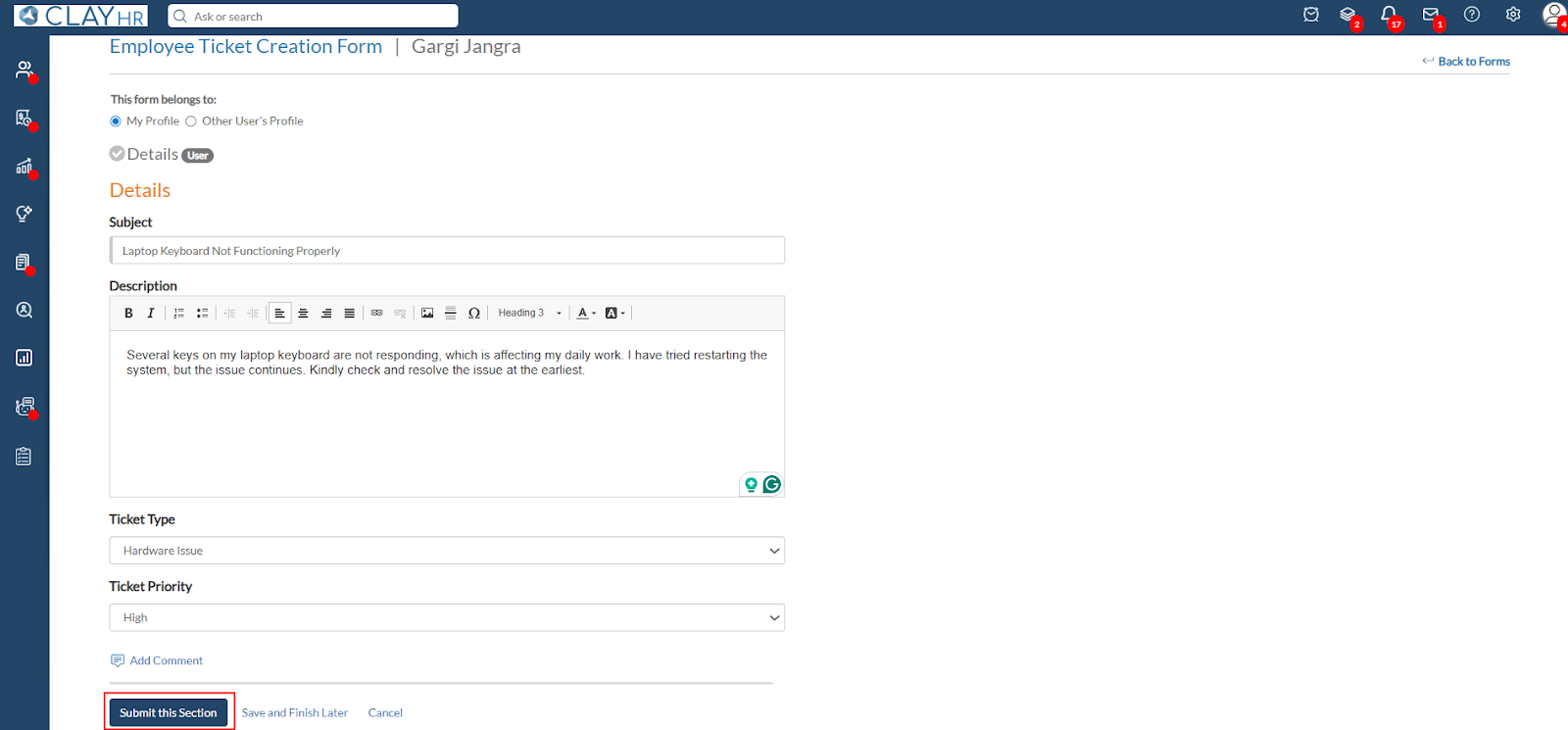
- Fill the required fields and Submit the form.
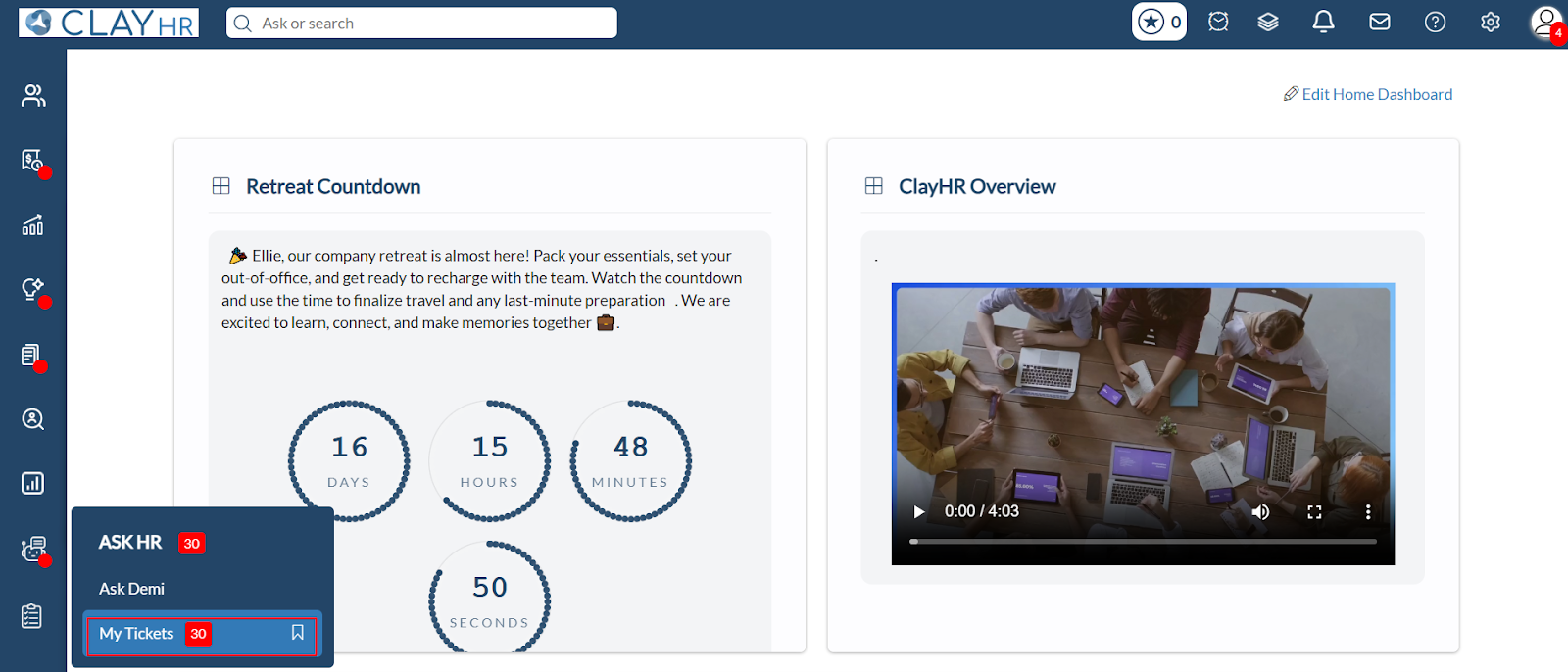
- Go to My Tickets.
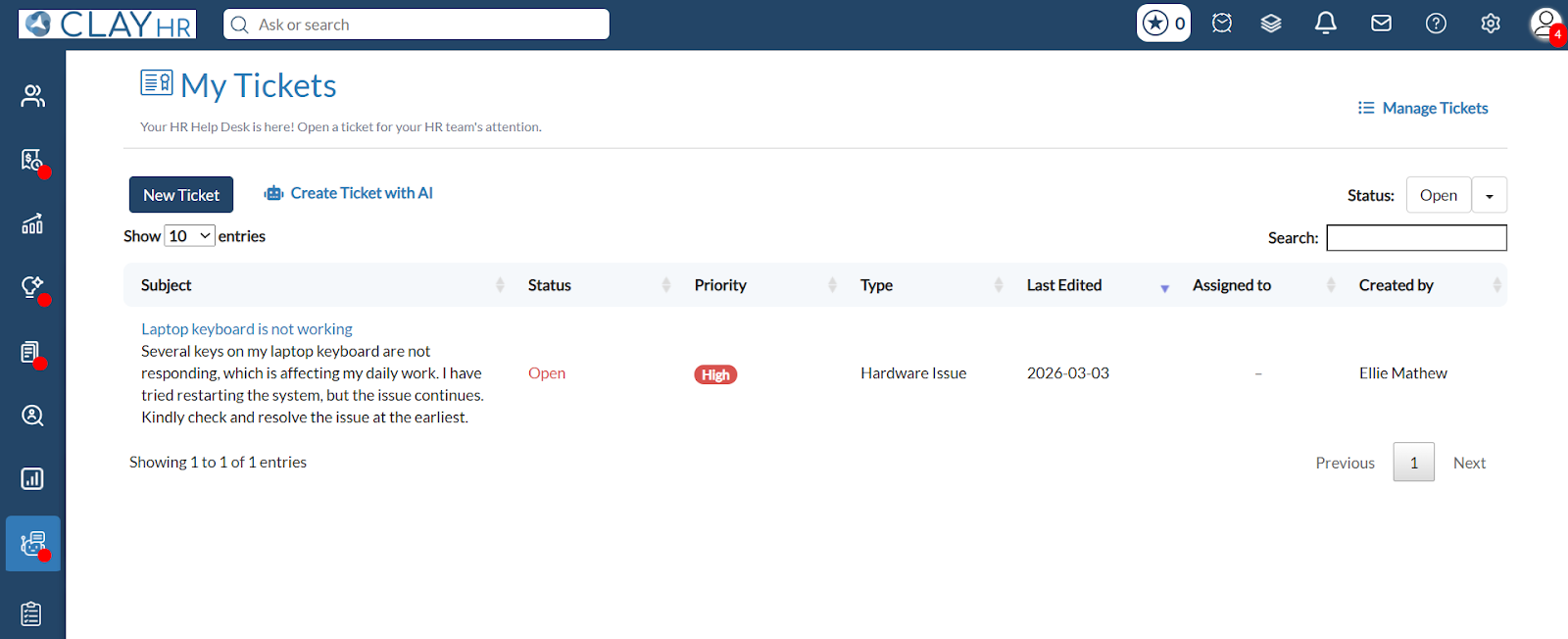
- The ticket has been created successfully.
.webp)