You don’t have to settle for generic PTO setups. ClayHR helps you build flexible leave policies that can scale with your teams—whether they’re in one office or across multiple locations. Define custom leave types, apply policy rules by business unit and location, and ensure your people always know what they’re entitled to. No confusion, no bottlenecks—just leave management that fits.

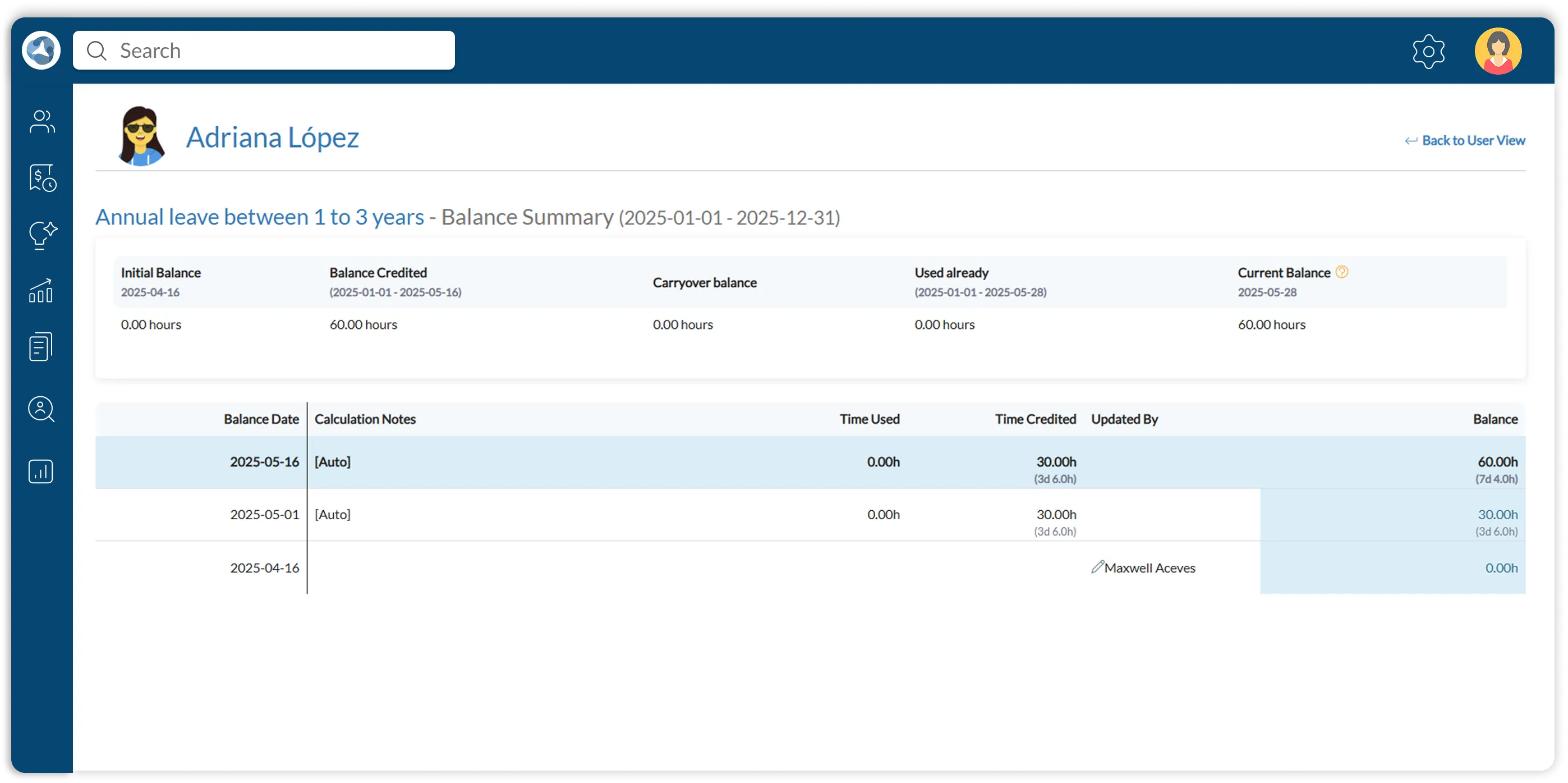
With ClayHR’s leave management system, leave accruals run on autopilot. You can set up rules by business unit, location, or employee type—and the system calculates everything in real time. Whether it’s monthly PTO accrual, year-end carryovers, or pro-rated balances for new hires, your data stays accurate without lifting a finger.
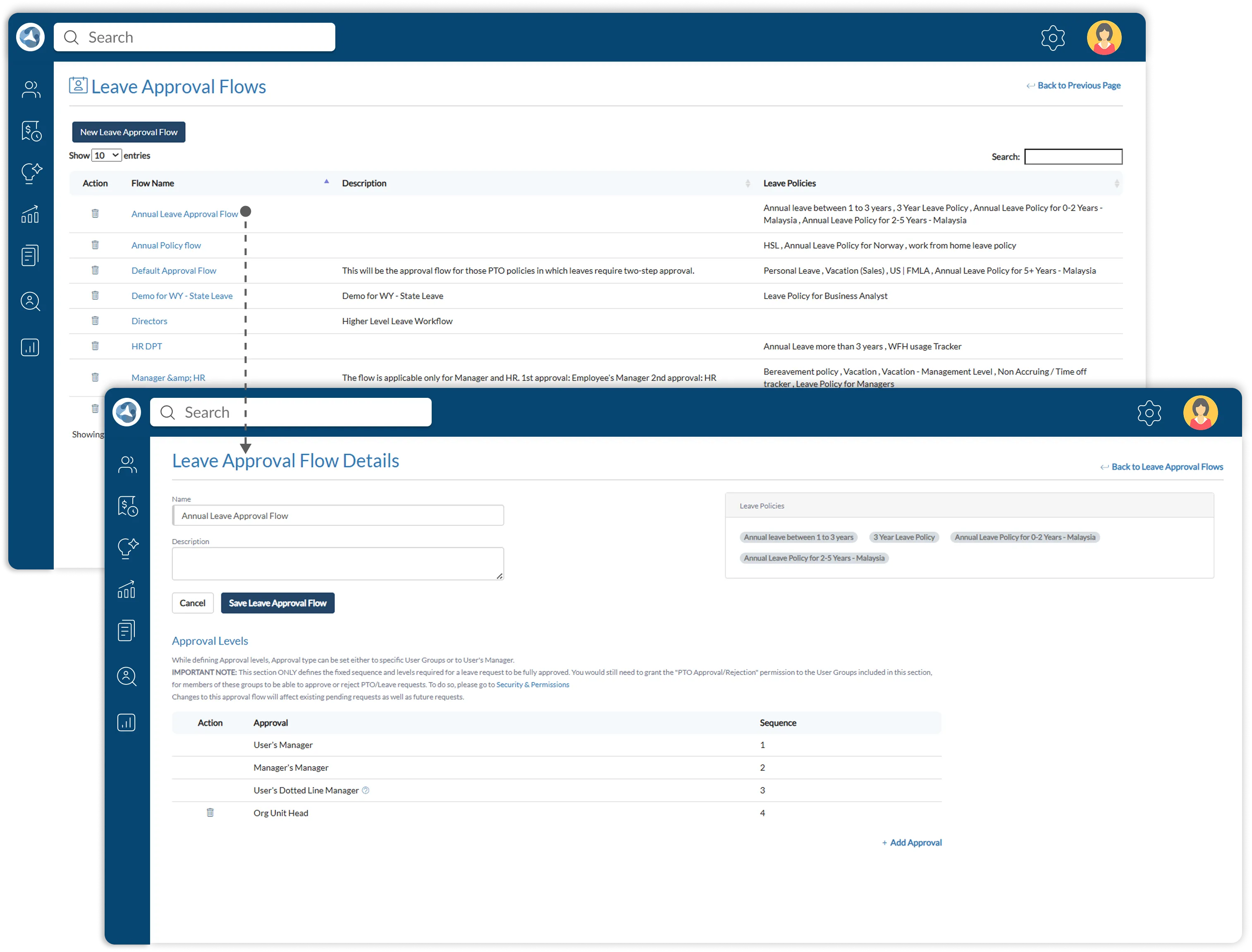
Every company approves time off differently—and with ClayHR, you are not stuck with rigid workflows. You can build multi-level approval flows based on teams, reporting lines, or business units. Whether it’s a single approver or a tiered chain of managers and HR, the right people get notified at the right time.
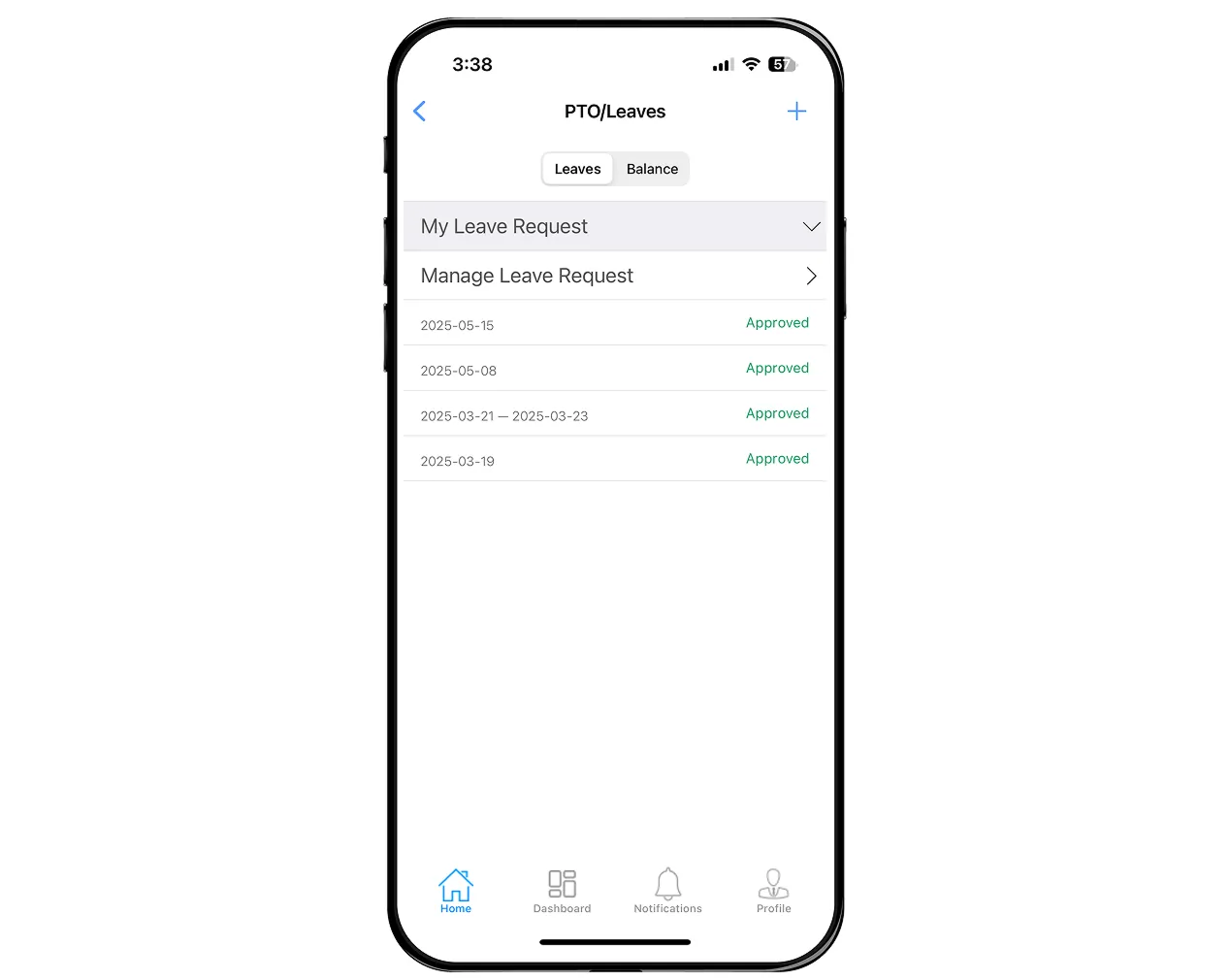
With ClayHR, managing your time off is simple—no emails, no spreadsheets, no chasing HR. Whether you are using the web app or the ClayHR mobile app on iOS or Android, you can check your leave balance, request time off, and get real-time updates on approvals.
With ClayHR’s Leave Agent, you don’t have to fill out forms or navigate the system yourself. Just provide a few details—like the leave type, dates, and reason—and the agent takes care of the rest by submitting the request on your behalf. It’s the easiest way to request time off when you're busy, on the move, or simply want a faster way to get it done.


With ClayHR, you always know who is away and when. The shared leave calendar gives you real-time visibility into team availability, approved time off, and region-specific holidays—all in one place. Whether you are planning a project, scheduling a shift, or just trying to avoid overlap, you can make smarter decisions with instant access on web or mobile.
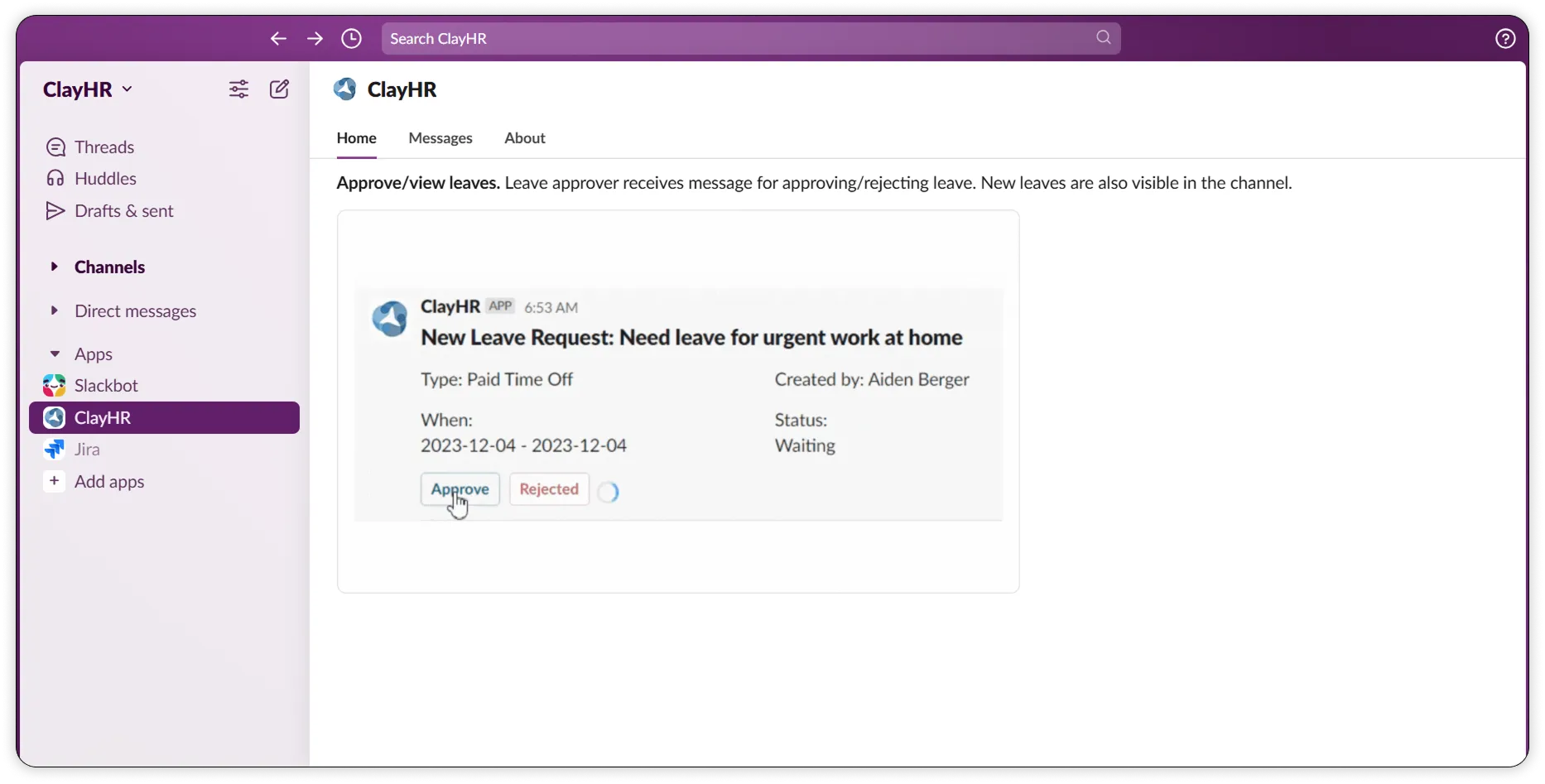
With ClayHR’s Slack integration, you don’t have to switch tabs or log in just to approve time off. You will receive real-time notifications directly in Slack when a request is submitted, and with a single click, you can approve or reject it—right from the message. It’s fast, seamless, and perfect for staying responsive, even when you are in the middle of something else.
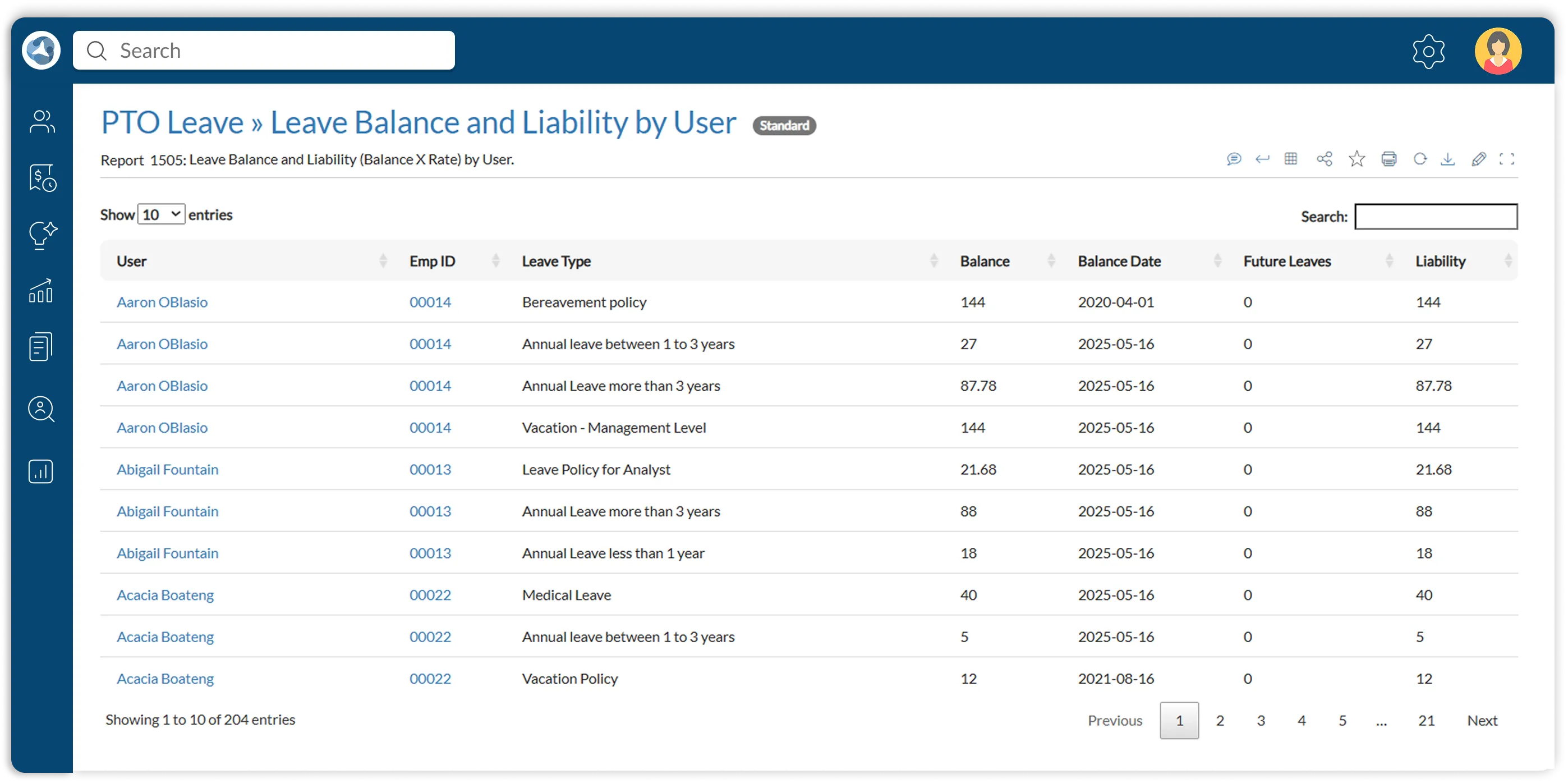
ClayHR gives you instant access to both standard and customizable reports that show current leave balances, usage patterns, and the financial liability associated with unused PTO. Whether you are preparing for compensations, budgeting for year-end accruals, or reviewing organization-wide trends, you have the data you need—accurate, compliant, and easy to act on.






Answers to common questions about how ClayHR handles leave policies, balances, requests, approvals, and reporting.
Yes. ClayHR supports custom leave types and policy rules based on organizational requirements, including business unit, location, and employee type.
Accrual rules can automate monthly PTO balances, prorated calculations for new hires, and year-end carryovers, according to the policies your organization configures.
Employees can check available leave balances, submit time-off requests, and follow approval updates using ClayHR on the web or the iOS and Android mobile apps.
Yes. Approval workflows can reflect reporting lines, teams, or business units, with notifications routed to the appropriate managers or HR reviewers.
Employees can provide details such as leave type, dates, and reason, and the ClayHR Leave Agent can submit their request on their behalf.
The shared leave calendar shows approved time off, team availability, and regional holidays. ClayHR's Slack integration also supports reviewing and responding to time-off approval notifications.
Standard and customizable reports cover balances, leave usage, and the financial liability associated with unused PTO to help with planning and reporting.