Step By Step Launch Performance Review for an Individual
To start a performance review step by step for an individual user:
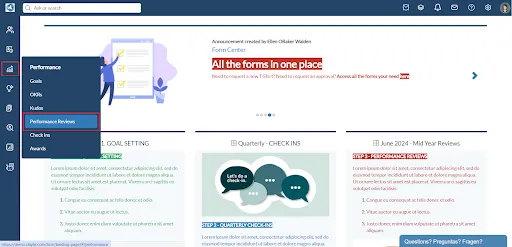
- Hover over the "Performance" icon in the left menu, then select “Performance Reviews”.
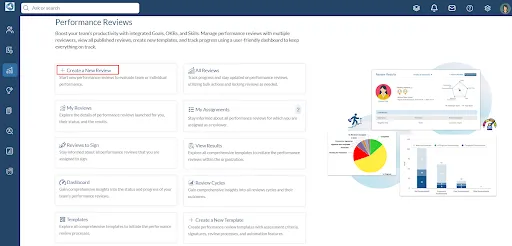
- Click the “Create a New Review” link.
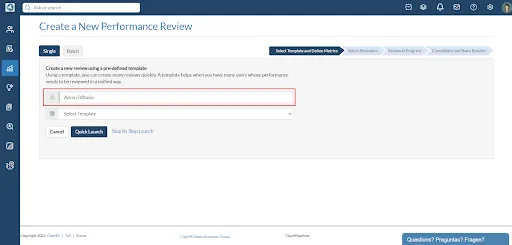
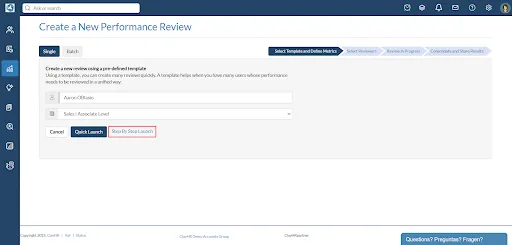
- Select the user for whom you want to launch the performance review.
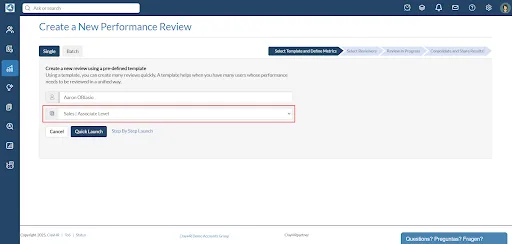
- Select a performance review template from the predefined list to import the content of the template into the review.(Note: Selecting a Performance Review Template is optional for the Step By Step Launch.)
- Click the ‘Step By Step Launch” link to customize the performance review.
- The content of the template, if selected, will be imported into the performance review. Edit or add new metrics, sections, import skills, objectives, and goals for individual users.

- At the bottom of the page, click the “Finalize Draft” button to launch the performance review.

Follow the Getting Started with Performance Reviews page for the next steps. If you want to launch reviews in batch follow the steps on Performance Reviews in Batch & How To. To launch a review quickly follow the steps on Quick Launch a Performance Review for an Individual.
.webp)