

How to Import Learning Assignments into ClayHR?
Learning Assignments in ClayHR allow you to easily assign learnings, courses, and programs to individuals or groups. This ensures structured learning delivery, better tracking, and timely completion of mandatory and recommended learnings.
Instructions for Uploading Learning Assignments via Spreadsheet
Download a sample Spreadsheet here.
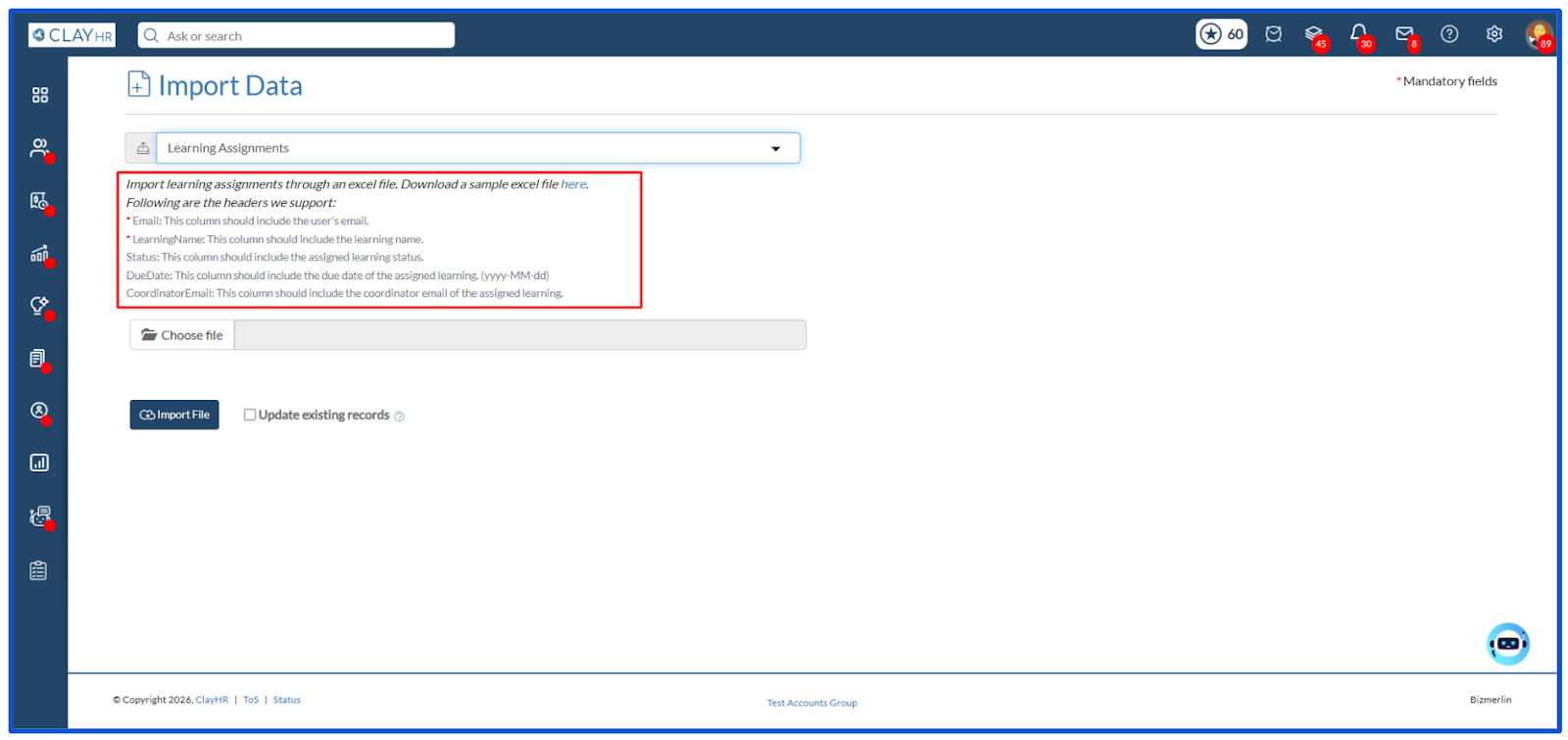
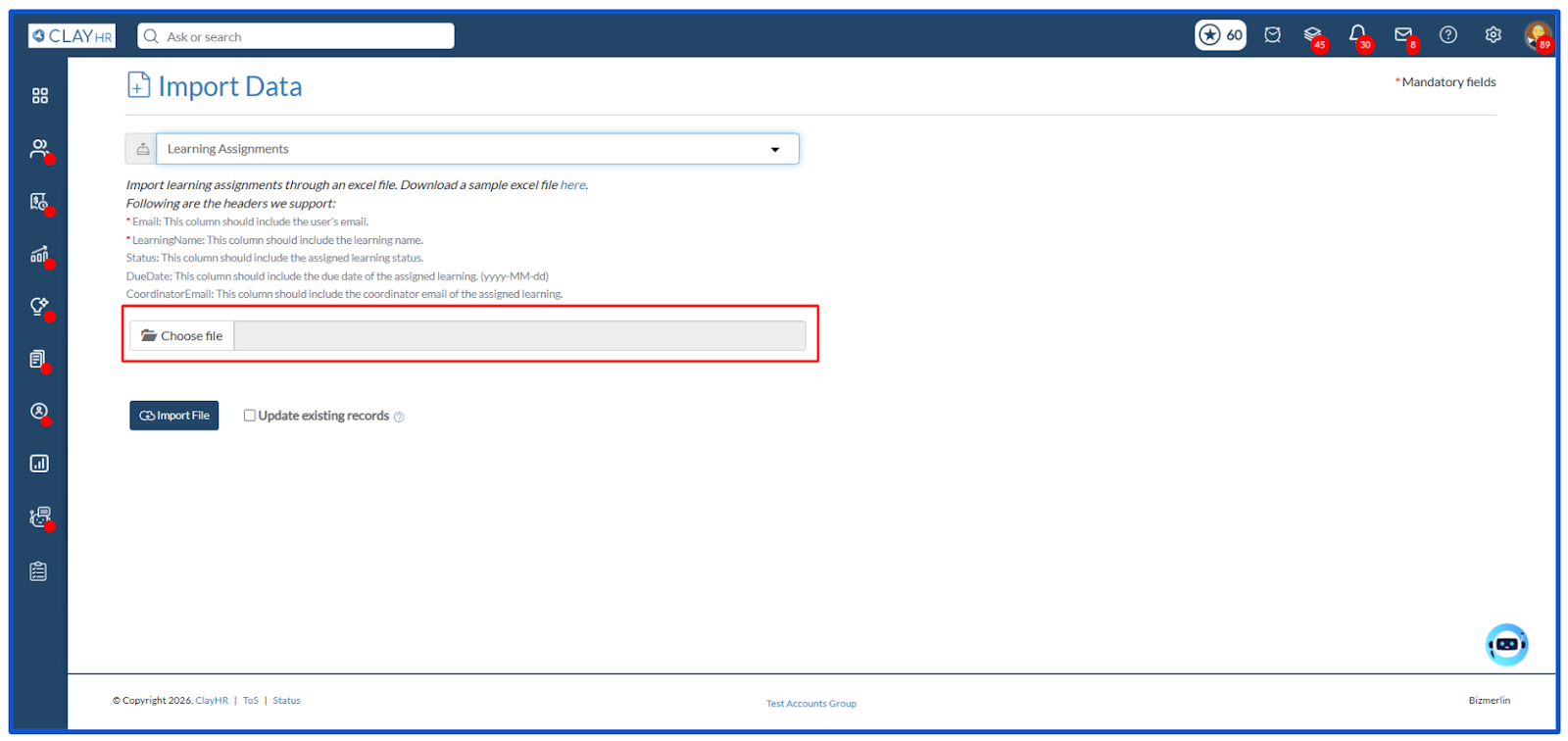
Following are the headers we support:
- Email: The user’s email address (Mandatory).
- LearningName: The name of the learning being assigned (Mandatory).
- Status: Specify the status of the learning assignment.
- DueDate: Provide the due date for completing the learning assignment.
- CoordinatorEmail: The email address of the learning coordinator.
Steps to Import Learning Assignments
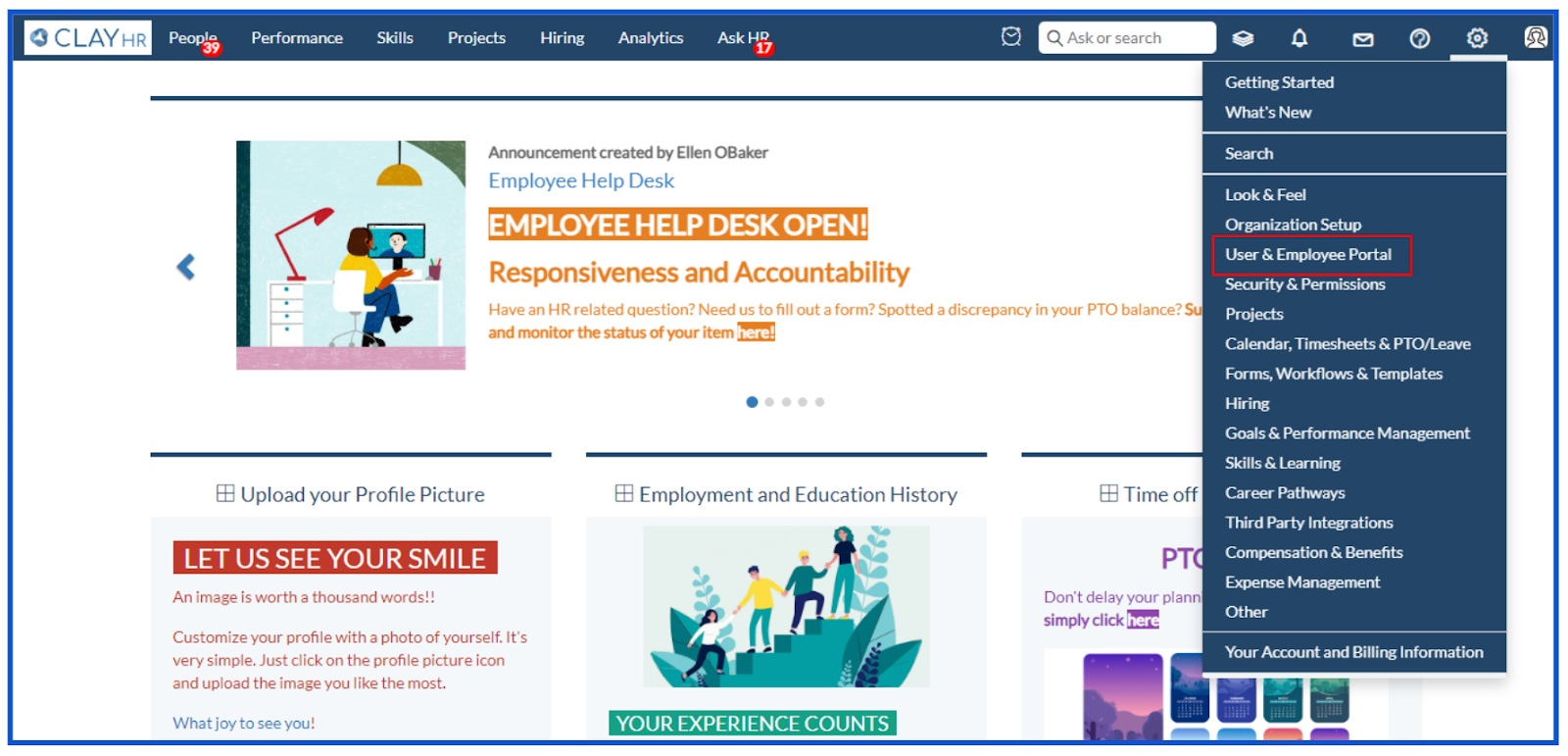
- Under the gear icon, click on the User & Employee Portal.
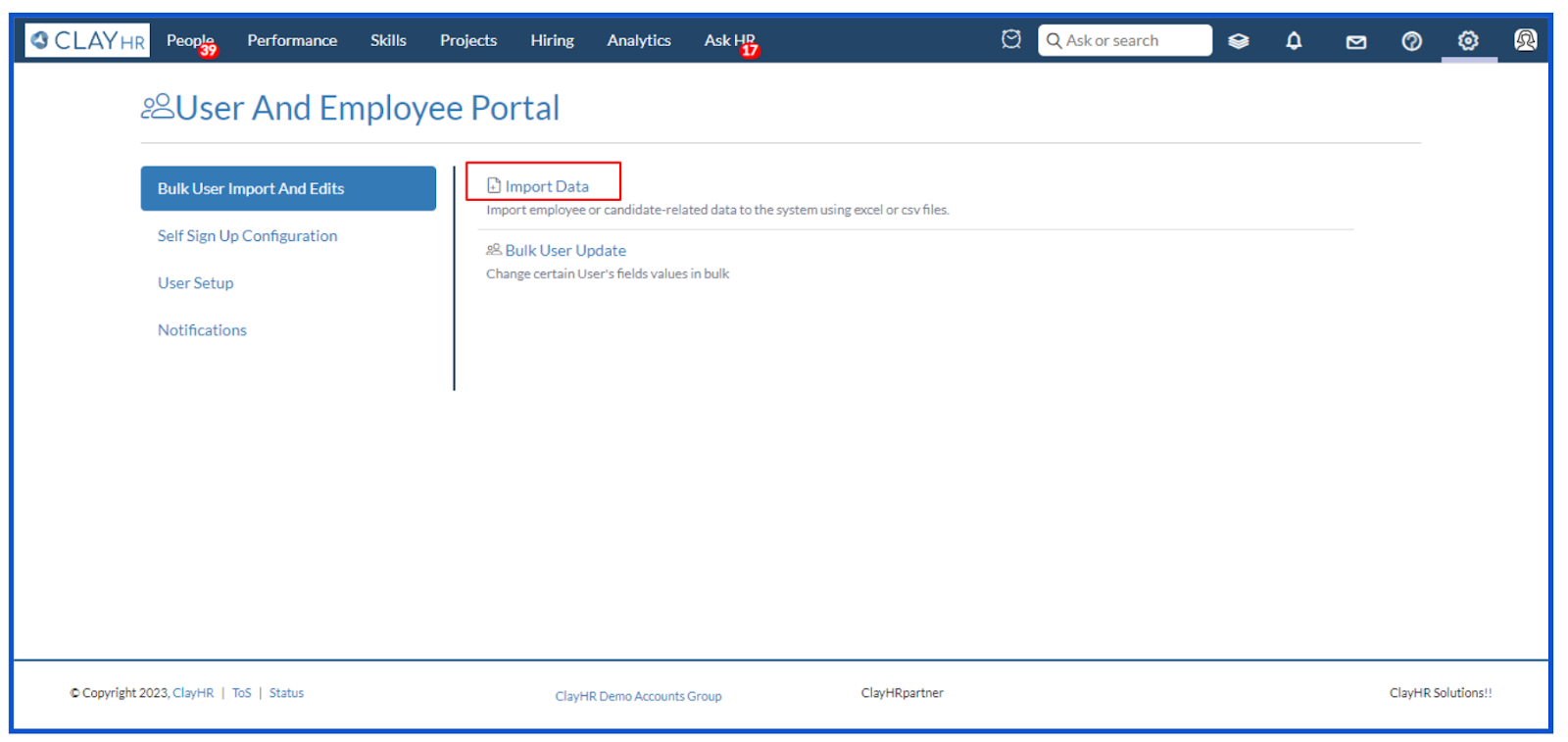
- Clicking on the User & Employee Portal button will redirect you to the User and Employee Portal page. Click on the Import Data.
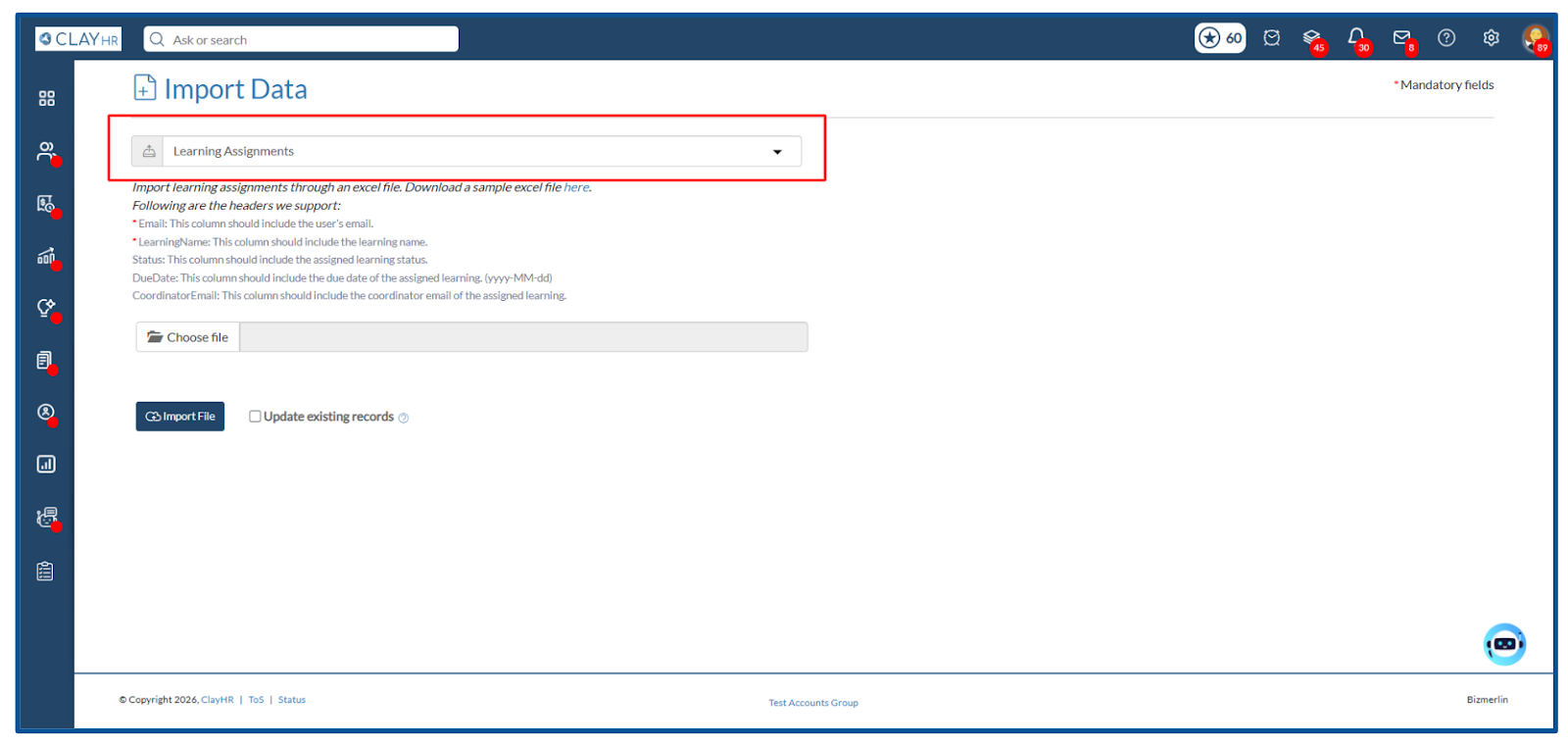
- Select Learning Assignments from the select box.
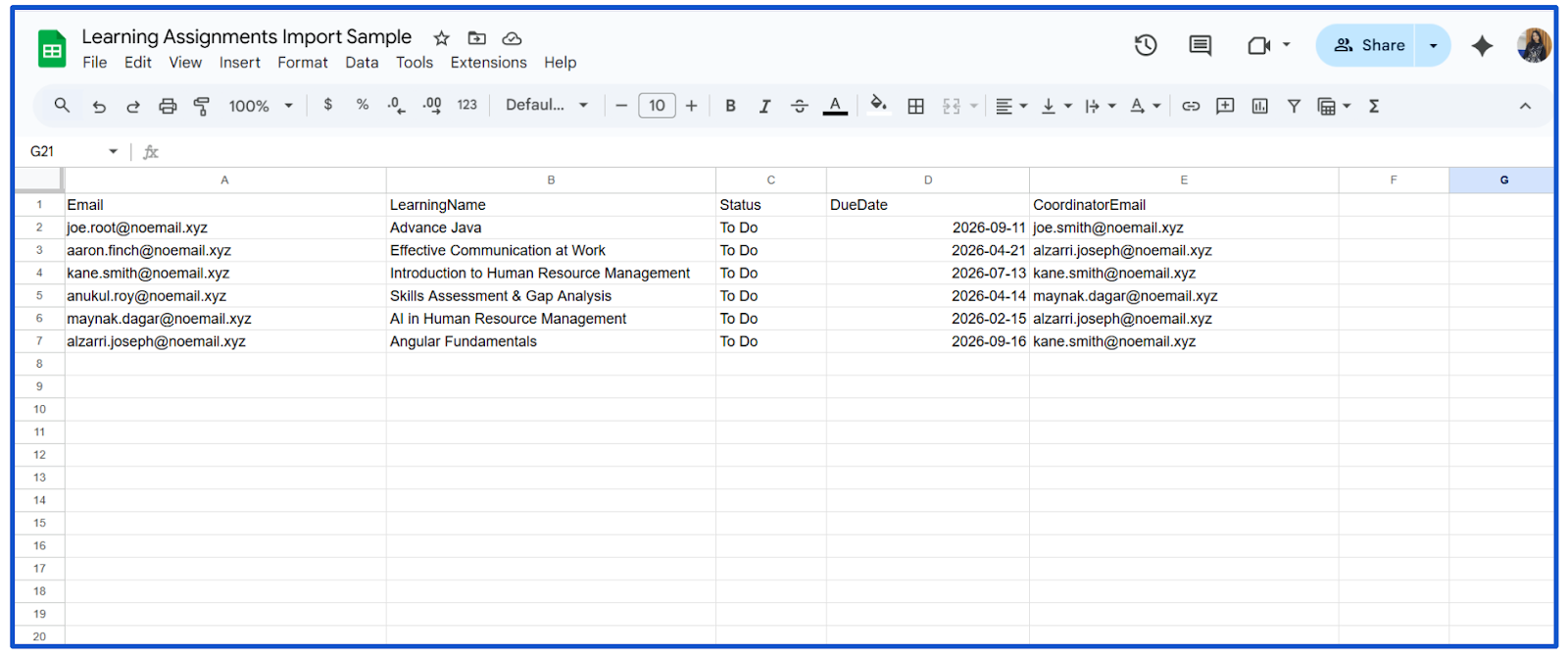
- To import, prepare an Excel file with the column headers given. The ones marked with a red asterisk are mandatory fields.
- Once the file is ready, click Choose file and select the file in Excel (.xlsx) format from the system.
- Sample learning assignments import file.
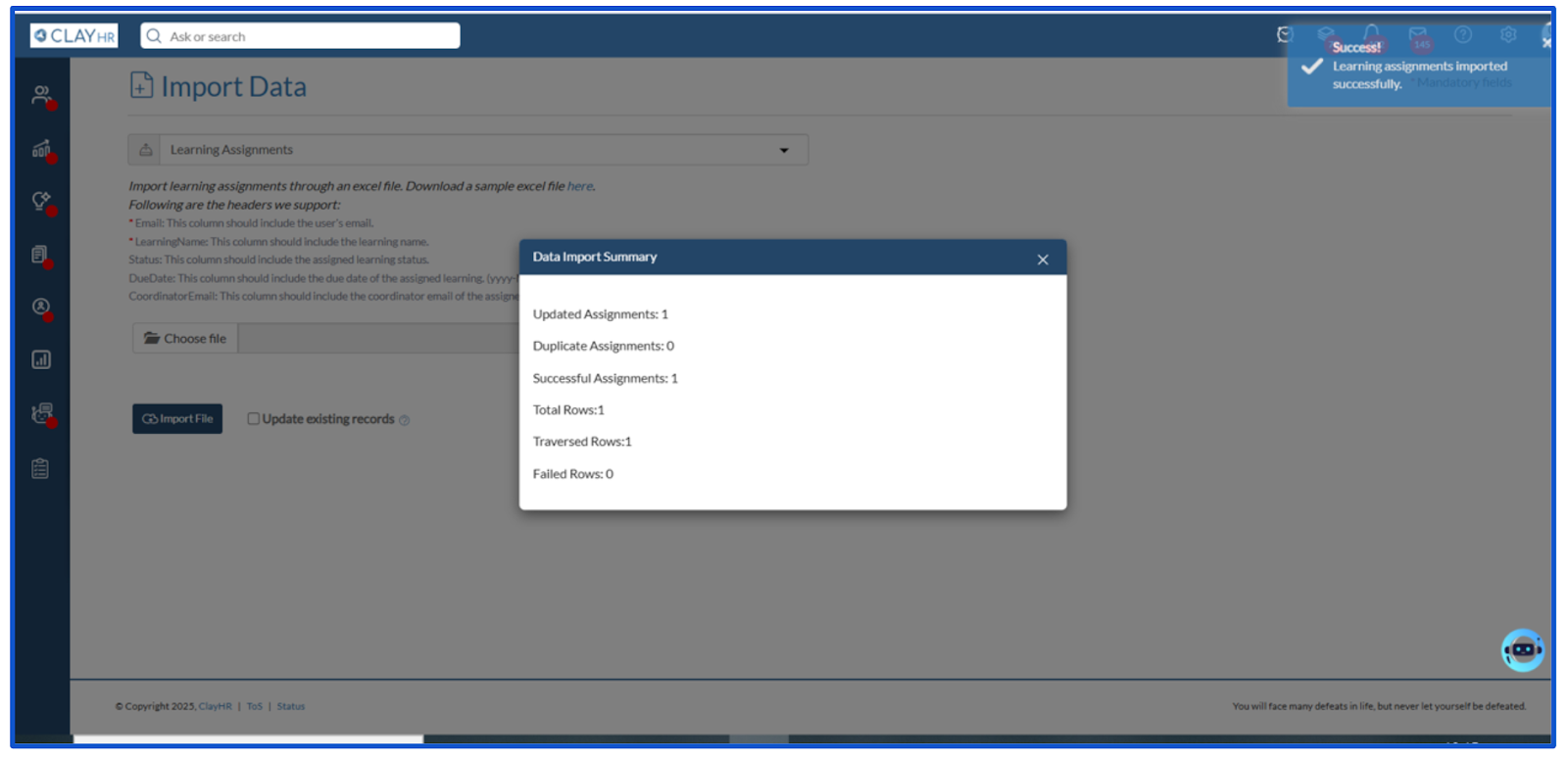
- Click on the Import File button. Once the file is imported, a toaster message appears along with a popup window that shows the data import summary.






.webp)
