

How to Create an Award Category With a Gift Card
With ClayHR, you can set up different types of awards for your team. Define and customize award types that match your organization's needs by using 'Award Categories'.
To create an award category with a gift card, follow the steps below:
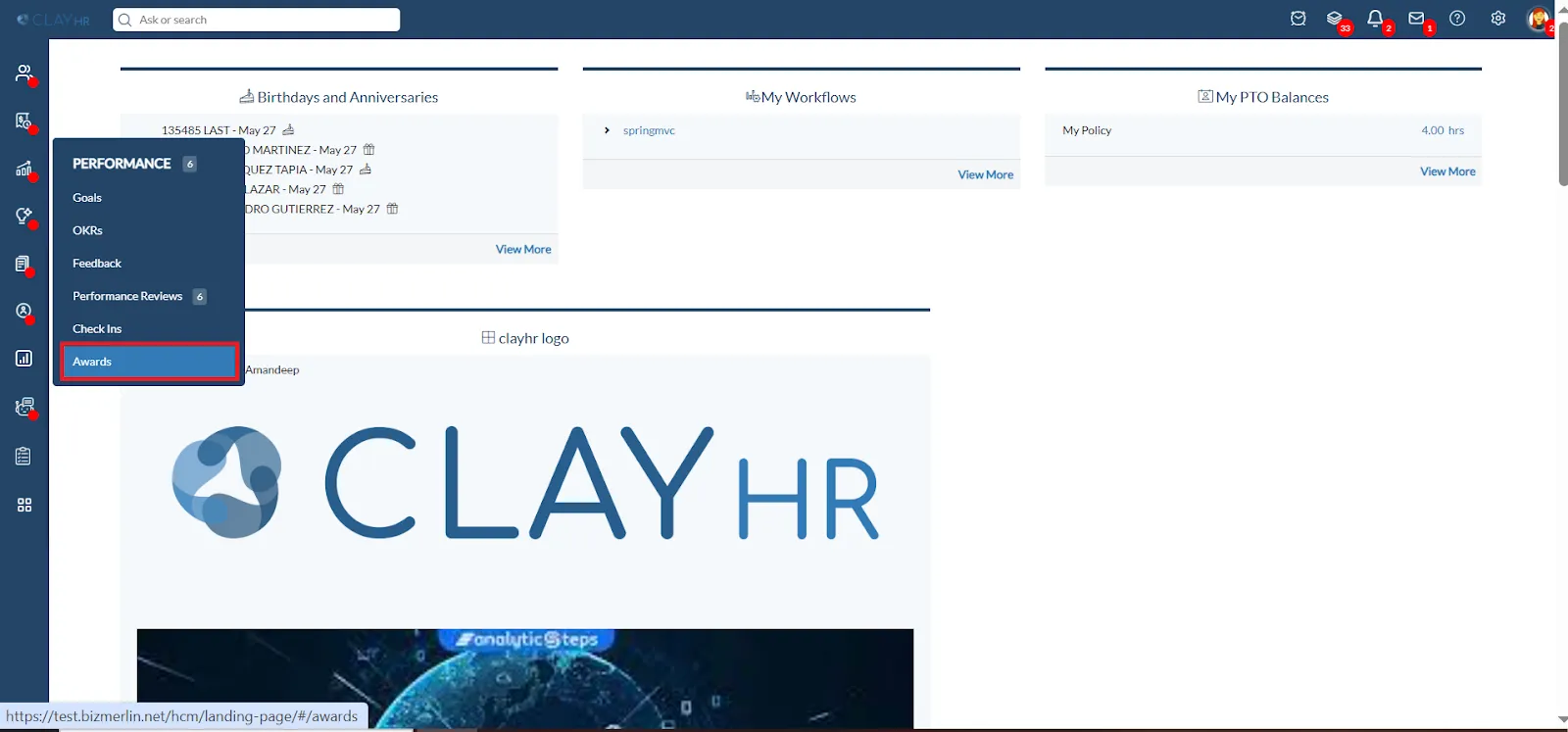
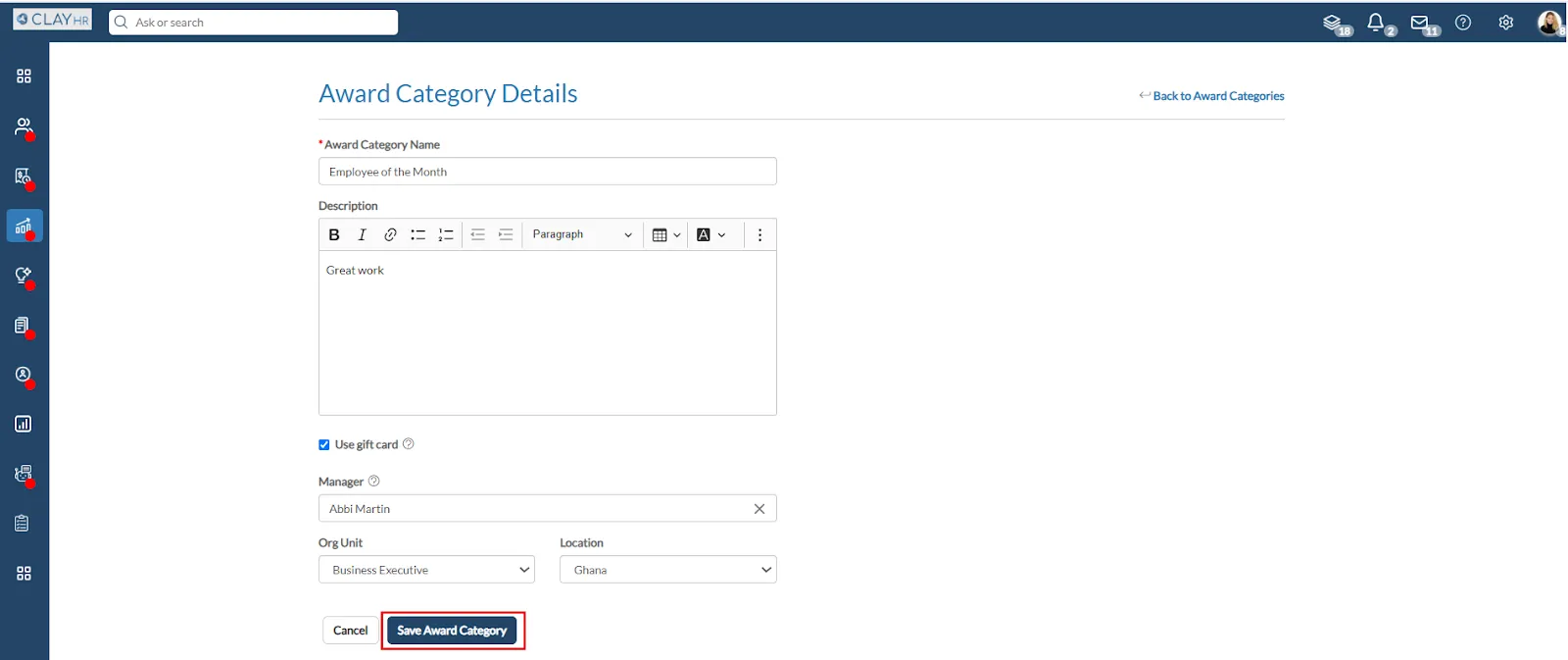
- Hover over the "Performance" icon in the left menu, then select “Awards”.
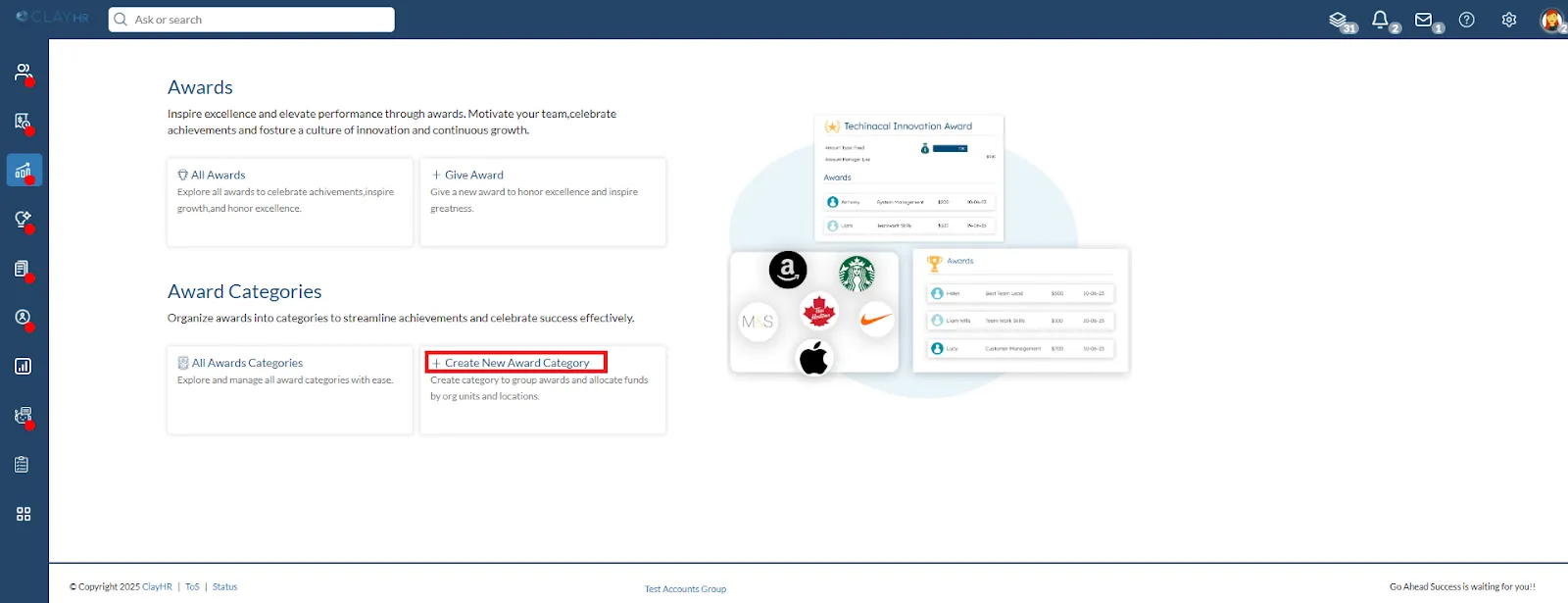
- Click the “Create New Award Category”.
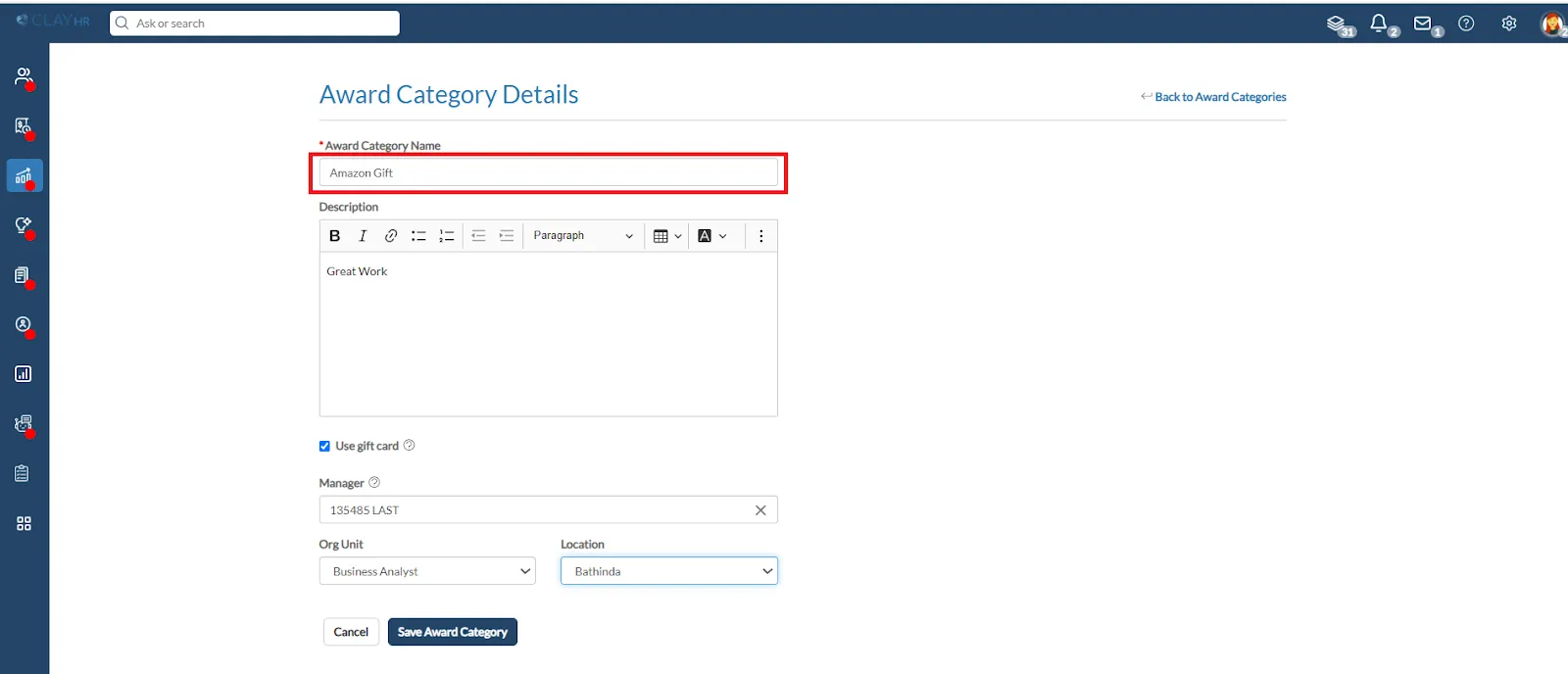
- Give a name of your choice to the Award Category.
- To use a gift card, select the checkbox. You can create the Award Category for a specific Org unit and location.
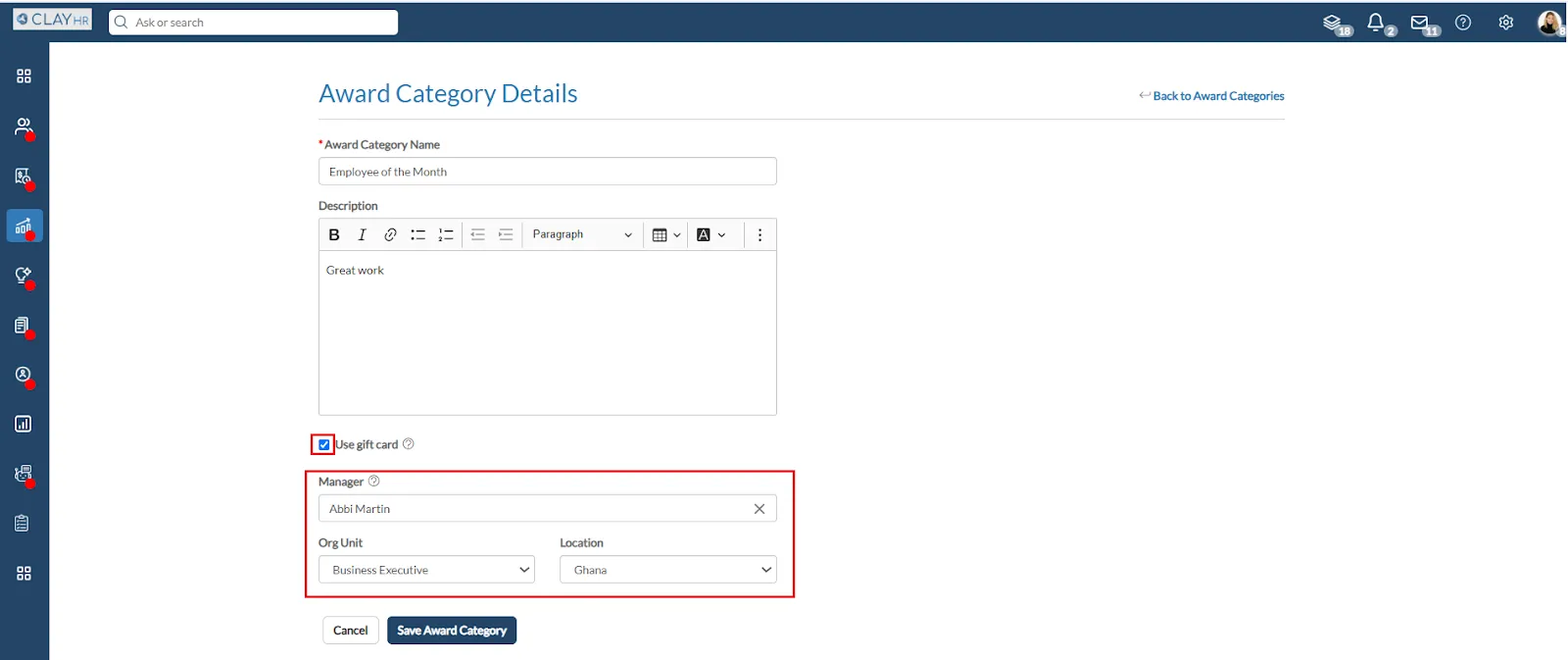
- After filling in the details, click “Save Award Category.”





.webp)
