

Tango Gift Cards for Awards in ClayHR
ClayHR enables the delivery of digital Tango gift cards directly to recipients when an award is granted, allowing organizations to recognize and reward employees instantly and efficiently.
- Users with Award Category Manage permission can create/manage award categories.
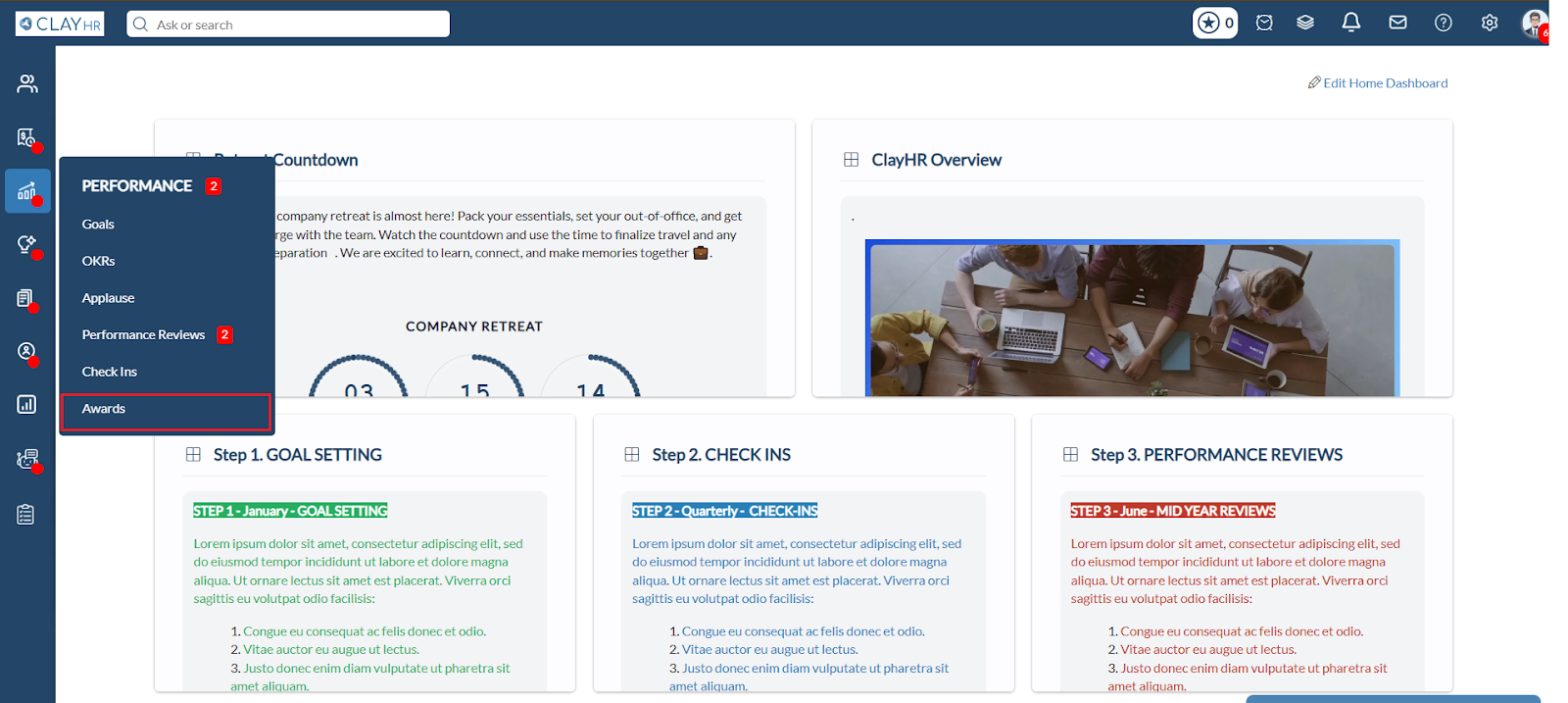
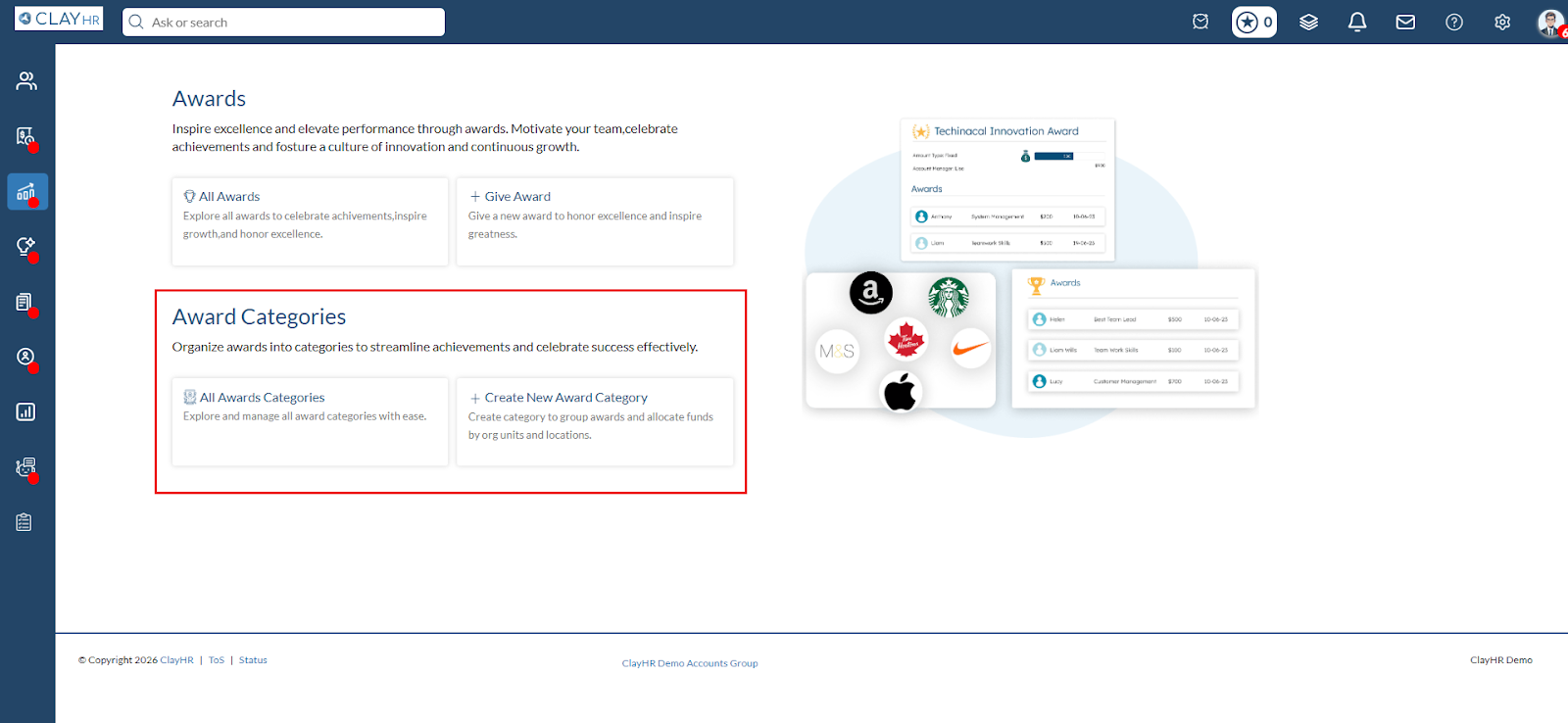
- To create a new Award Category, click on Create New Award Category.
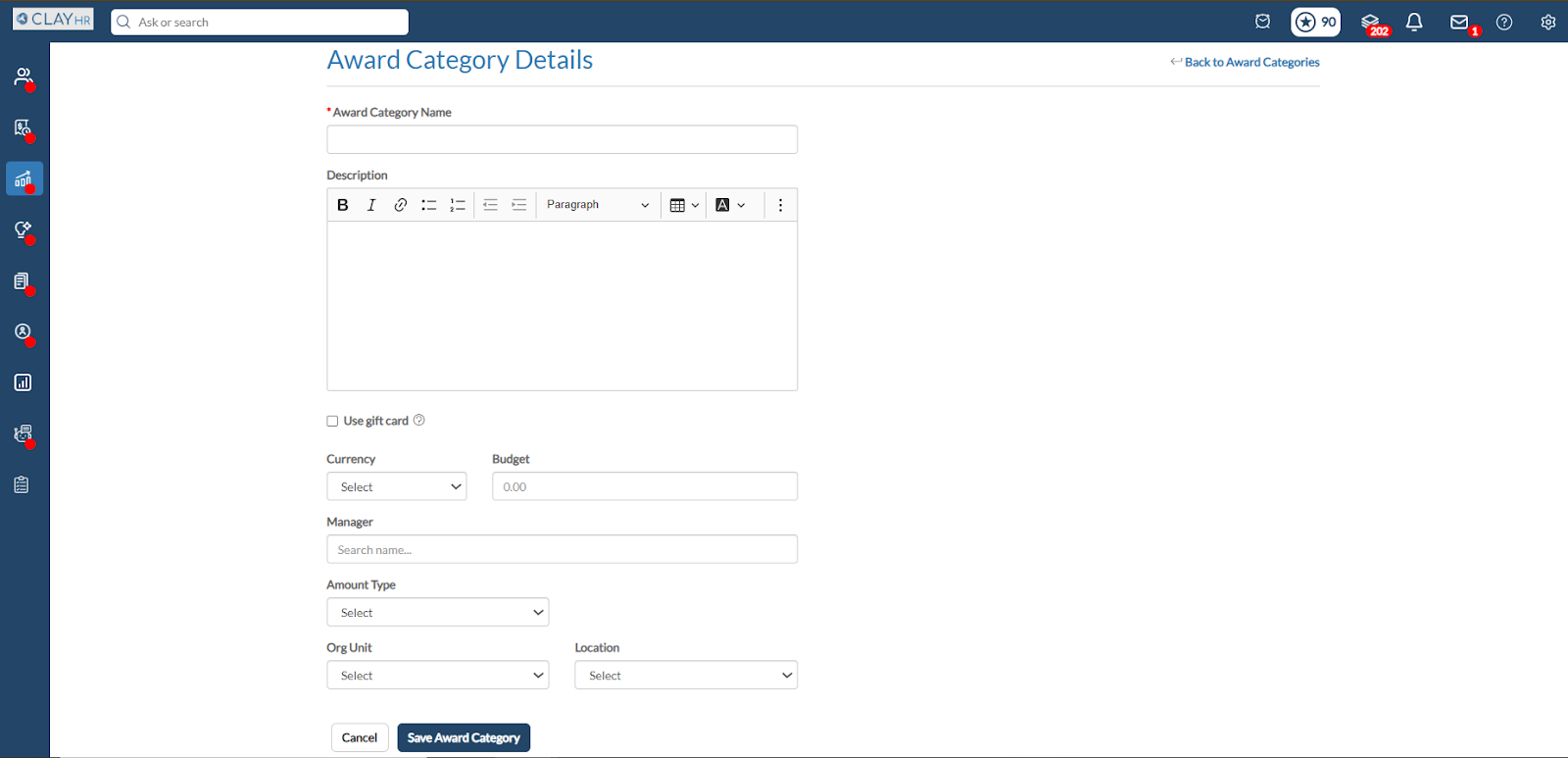
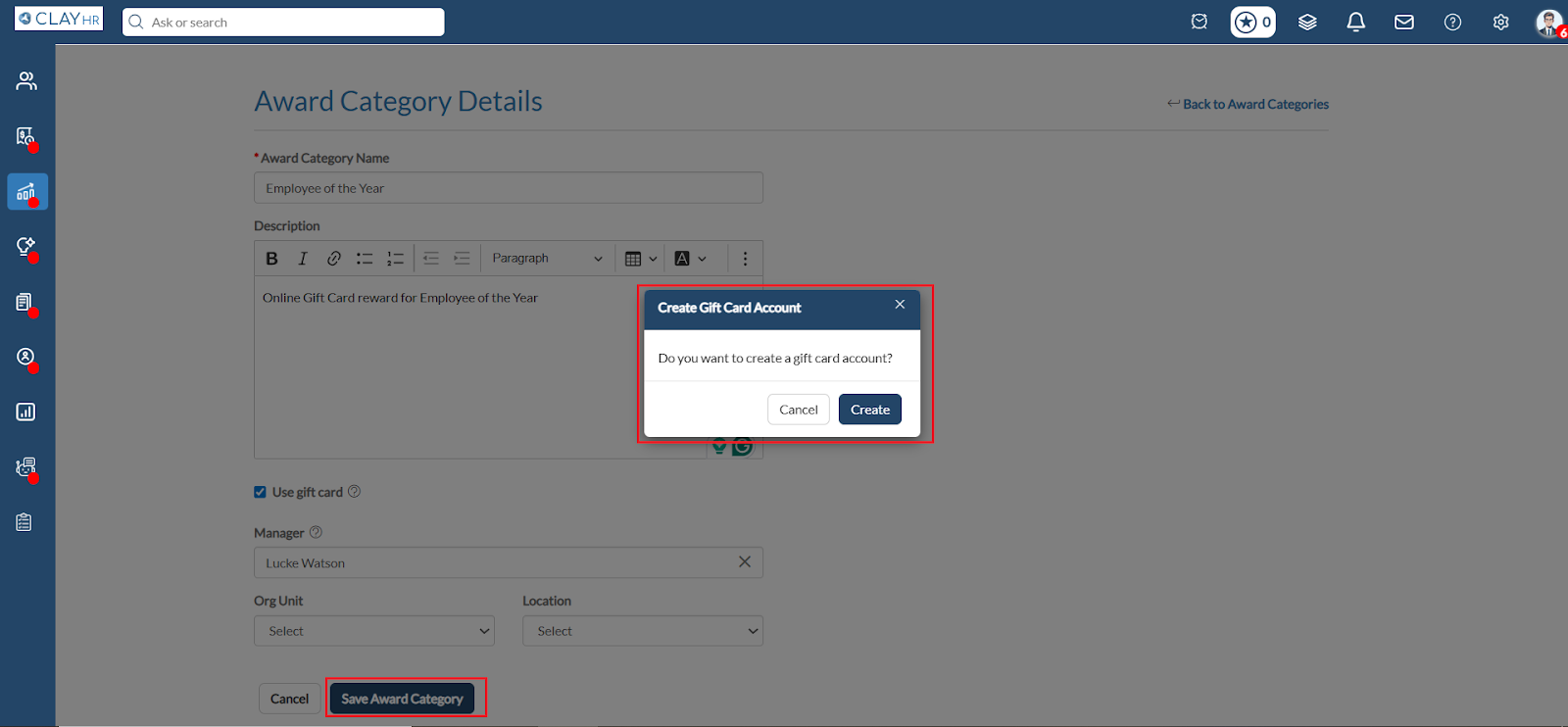
- Fill in the Award Category Name and Description, then select the Use Gift Card checkbox. You can assign a manager to the Award Category and select the applicable Org Unit or Location.
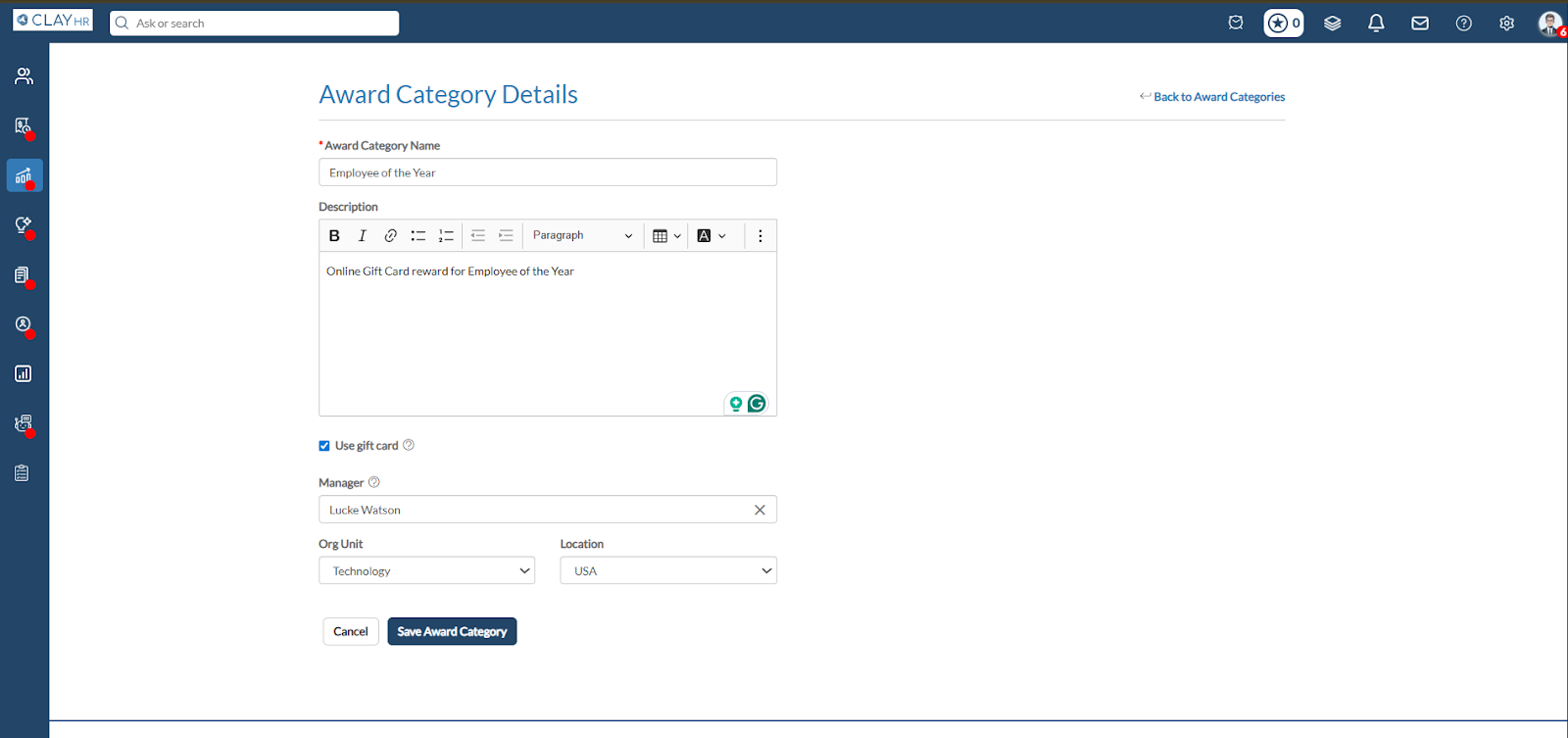
- Site Admins or users with Award Category – Manage Gift Card Funds permission can create and manage a Tango Gift Card Account under the Award Category.
- When you click Save Award Category, a pop-up appears prompting you to create a gift card account for the category. Click Create to proceed.
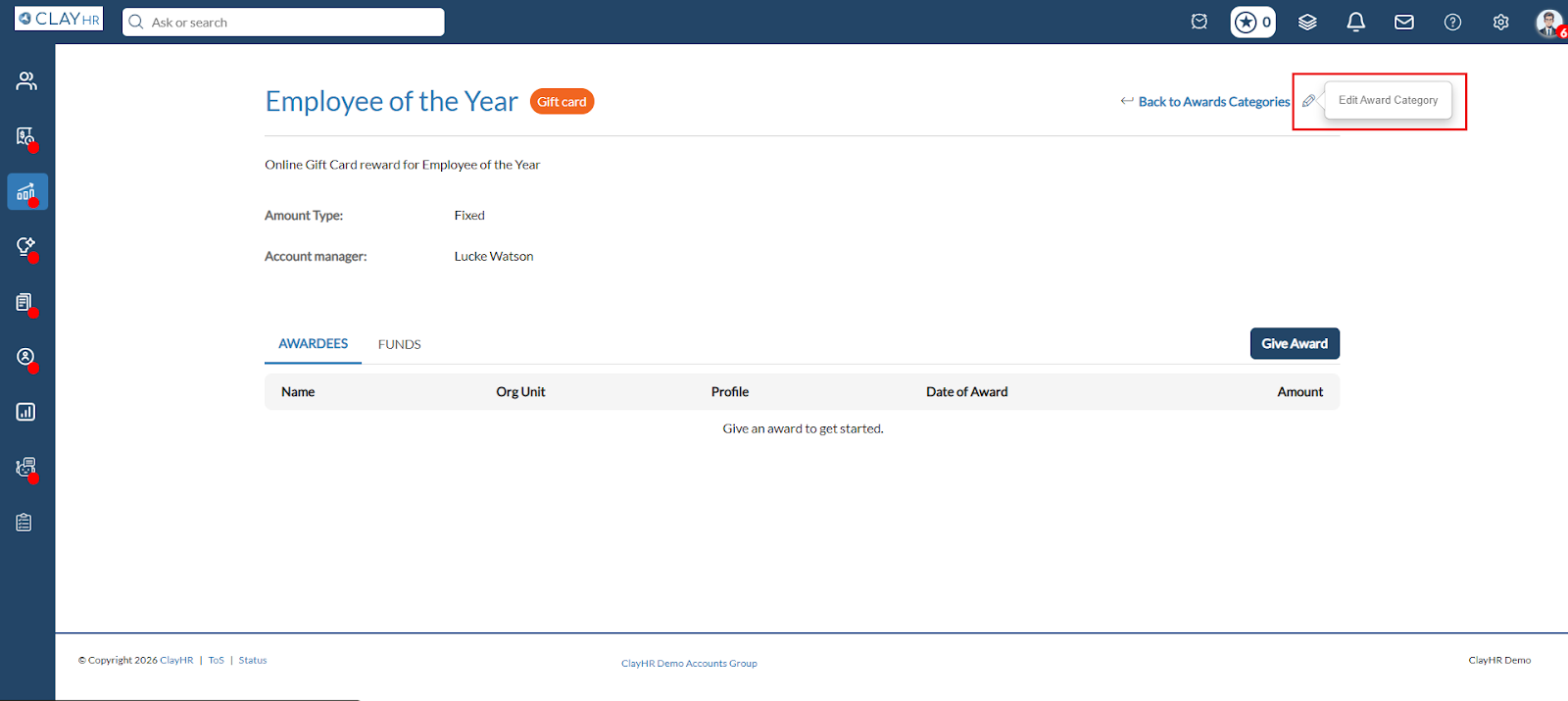
- The system redirects you to the Award Type View page, where users can click the Edit icon to manage gift card account details, including adding a budget or credit card funding.
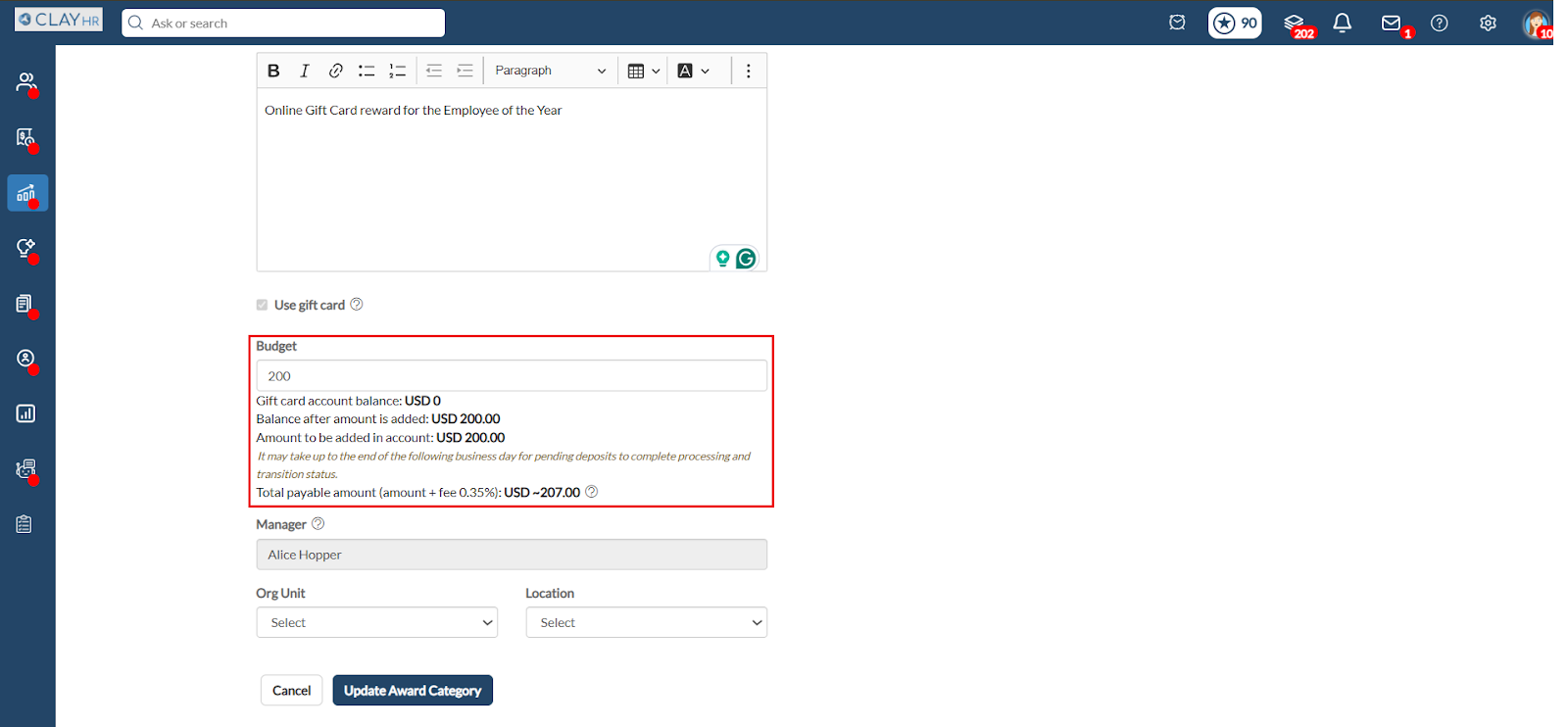
- Clicking Edit redirects you to the Award Category Edit page, where users can add or update the budget for the gift card account. After entering the budget, the updated gift card balance is displayed.
- Clicking Update Award Category after entering the budget shows a pop-up requesting to add Credit Card Information to the Account.
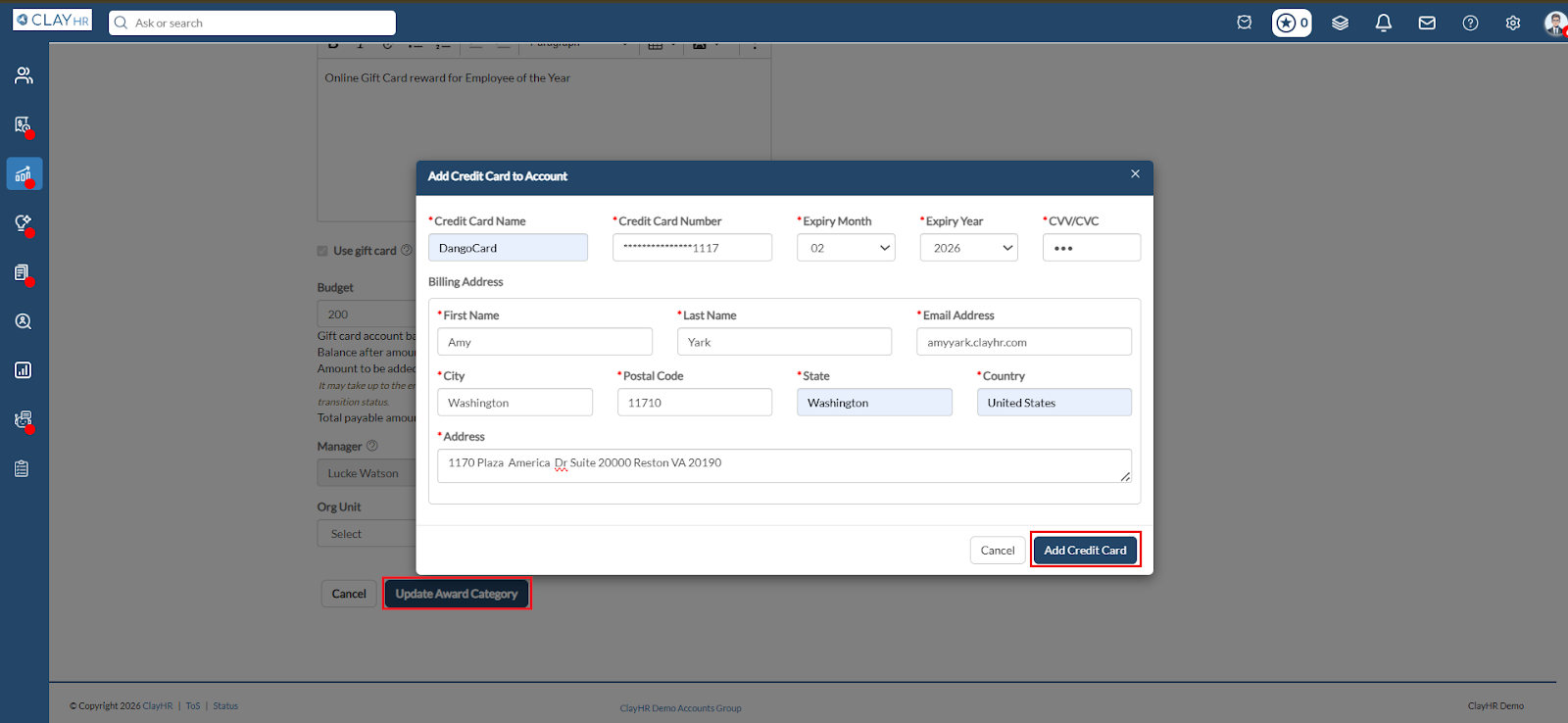
- After clicking Add Credit Card, the account is updated, and the specified amount is debited from the credit card.
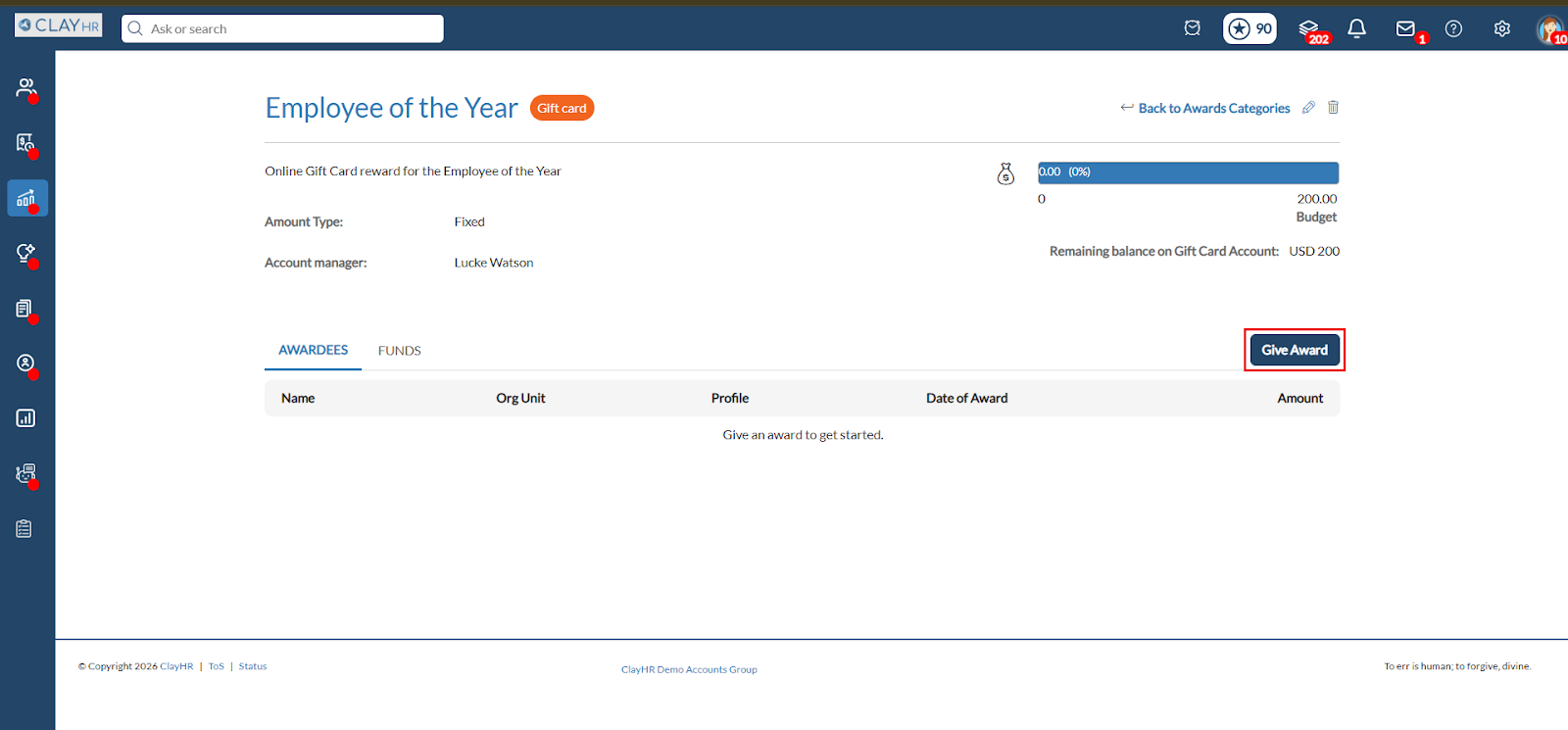
- To give an award, click the Give Award button, which opens the Award Details page. The Award Category is selected by default. You can select from the available gift cards using the Gift Card dropdown on the right side of the page.
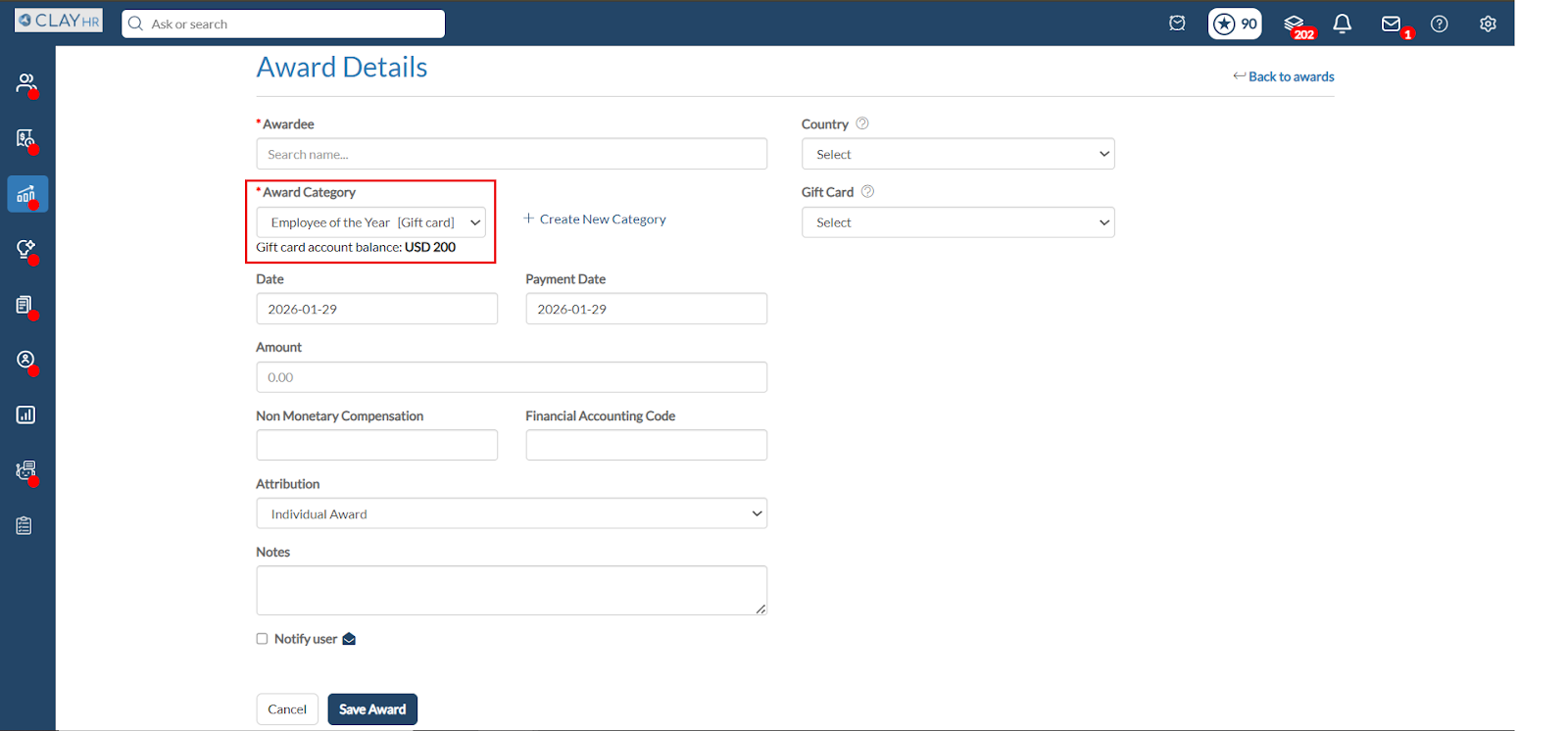
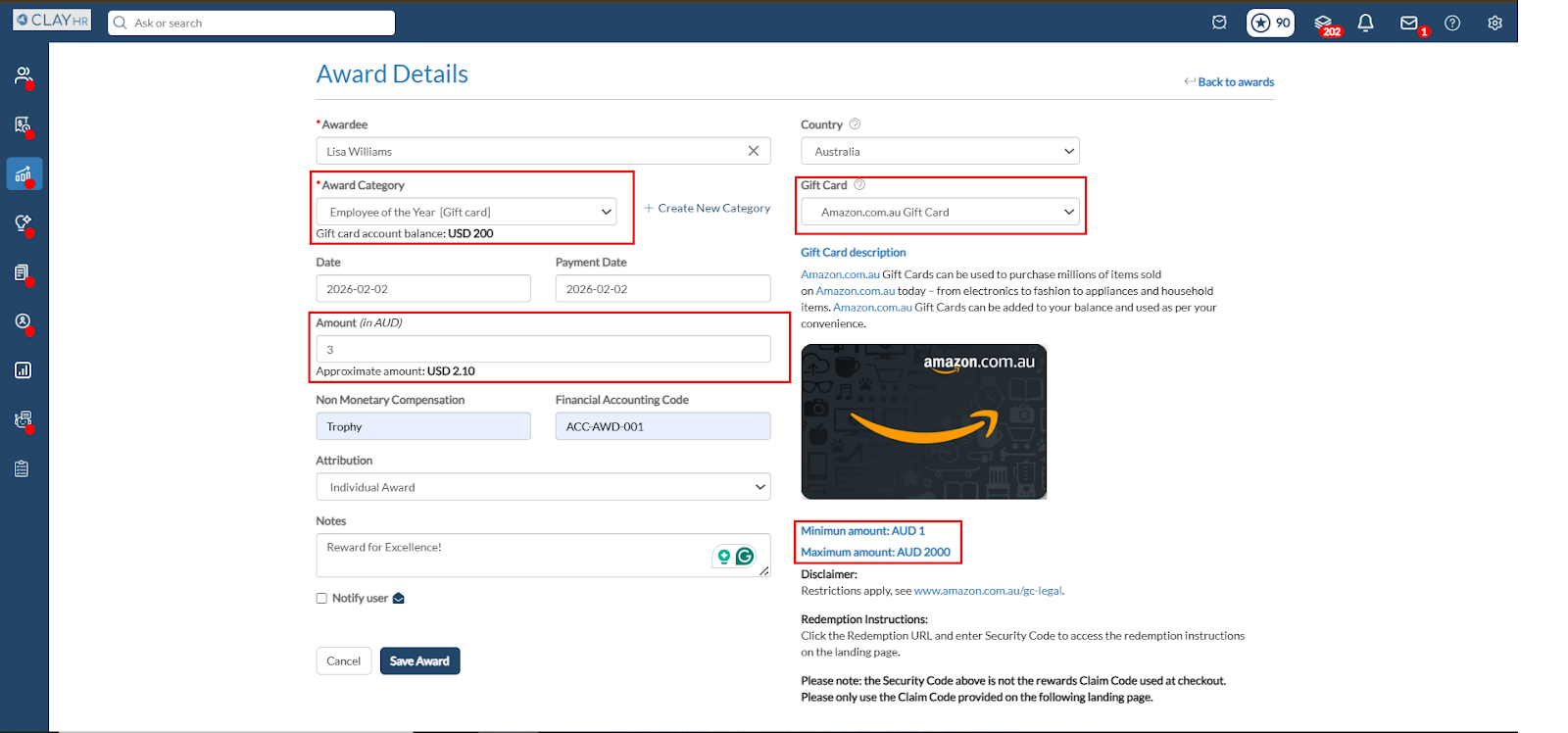
- Fill in all required award details. Once a Gift Card is selected, the system automatically shows the gift card description and pre-fills the amount. We can update the amount, but it must remain within the minimum and maximum limits allowed for that gift card.
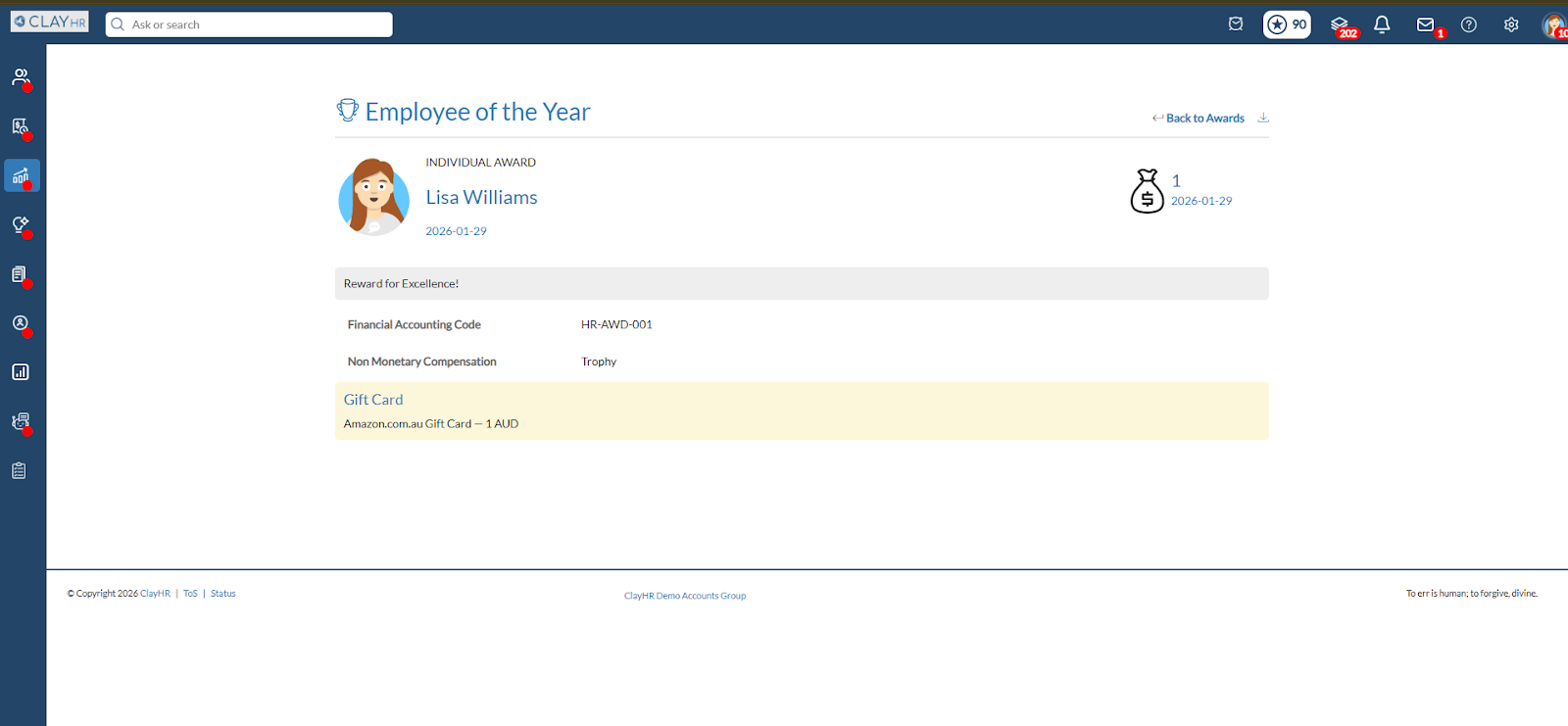
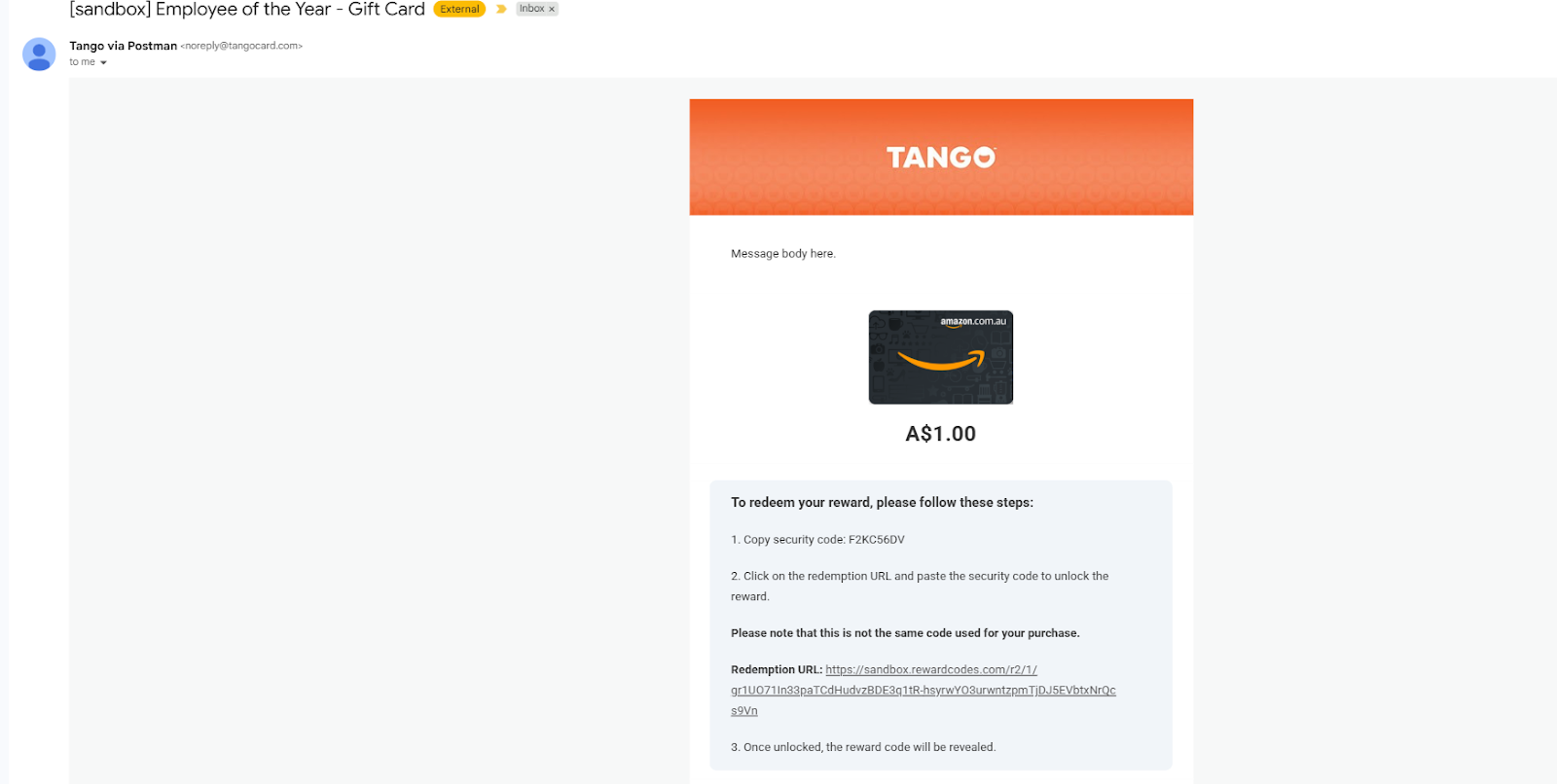
- Clicking Save Award creates the award, places the gift card order, and sends the online gift card to the awardee.





.webp)
